Foodiverse Knowledge Hub
Breadcrumbs

Improved Recent offers page

Useful information for charities and Foodbanks.


  1. Navigate to the Offer’s history page at the bottom of your dashboard
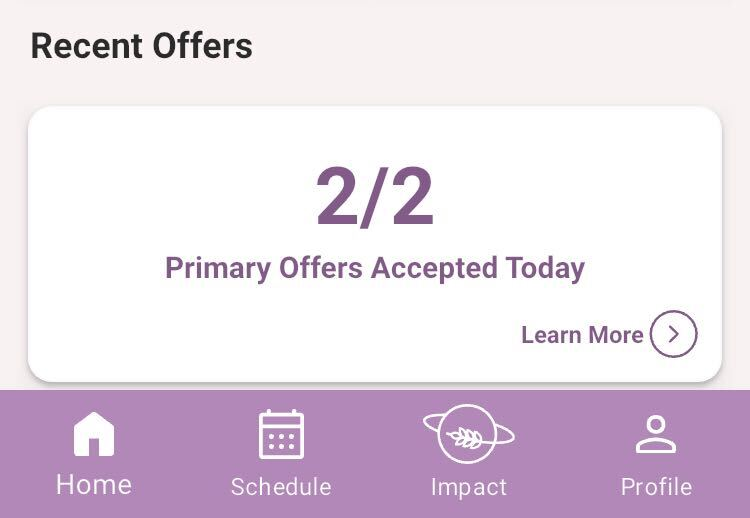
image-20250227-150204.png


  1. The recent offers page has been updated to include

    1. Improved donation cards

    2. Improved donation filtering

    3. Improved donation records

https://lh7-rt.googleusercontent.com/docsz/AD_4nXfIKLpv8Rtlrsou-K9PsV96ib9kEjtyFQWa4tmHngWojtA08iAtlcWsv4wPnxAr67_CepeITVBoAQTUOswPwgDnuM-uVegt-v0Apz10l2aTQnYvkR5mIe9y5WLBizFqZl_7fv3ouQ?key=ZXYggVxm64S8NkfXvFQOwGI3


The ‘Recent offers’ page with updated donation cards

  1. The new cards contain;

    1. The donor branch name

    2. The donor branch official ID

    3. The donation quantity total

    4. The status of the the individual offer

    5. The Date the donation was offered

    6. The type of offer the donation was, i.e Primary, waitlist

    7. The status of the overall donation

    8. The star rating of the donation (if provided)

https://lh7-rt.googleusercontent.com/docsz/AD_4nXfIKLpv8Rtlrsou-K9PsV96ib9kEjtyFQWa4tmHngWojtA08iAtlcWsv4wPnxAr67_CepeITVBoAQTUOswPwgDnuM-uVegt-v0Apz10l2aTQnYvkR5mIe9y5WLBizFqZl_7fv3ouQ?key=ZXYggVxm64S8NkfXvFQOwGI3


The new ‘Recent offers filter’

  1. The new filter will allow you to refine donations based on;

    1. The user view (may be restricted by user privileges)

    2. The search bar is used to filter by;

      1. Offer ID

      2. Reference ID

    3. The status of the offer (pictured below)

https://lh7-rt.googleusercontent.com/docsz/AD_4nXf-uAgCKUHYhqnHvYt9NemSLgEJCAUuBZ_FGNA5fpnv_uiPFqC2cmAOxYtsMXy4kbeRlLW0voJOfquTB4Y0IegIyYWCJXFi4kDDiPiPBccii1lcGZPhwQ08mg935sV52iI6yBcQeg?key=ZXYggVxm64S8NkfXvFQOwGI3


  1. The date range that donations were offered at

  2. The name of the charity branch 

  3. The ‘Reset’ button will reset the filters to their default values

Don’t forget to press ‘Submit’ to see your filters applied

https://lh7-rt.googleusercontent.com/docsz/AD_4nXc0nfEmg1jXAR6ThC8-T_I3v9v1pqnvDCQPaQiirj_kCygIPRdNkJQWzN3mm1WxfeuOHQrp8Bj6H7iC5g1ZpxeKxfIP3fFhFofoNuvNUqa0p8Fmftz3RRn2OrVqyz96IwC4HBqVUw?key=ZXYggVxm64S8NkfXvFQOwGI3


The ‘Previous donation’ page

This page is accessed by tapping on a donation card in the recent offers page.

  1. The first section contains;

    1. Charity name

    2. The offer type

    3. The donation details

    4. The Donation record button

    5. Any feedback left on the donation

    6. The timeline of the donation

https://lh7-rt.googleusercontent.com/docsz/AD_4nXfn0Xh6e8HDVLAu-KGviyl-UBT-63c-nkXDansRSsis6ncFJOa1ZXYcr6T2aRCCfSsYNKulrBvtJRkg3WFMQdSthcSNbyFFgn91AtsC5nZ90fjHWcqrXE5N9g6ZKNdQ-KJPisn9mQ?key=ZXYggVxm64S8NkfXvFQOwGI3


  1. The ‘Offer items’ section will contain;

    1. The total Estimate weight of the food categories

      The total Actual weight of the food categories (when Provided)

https://lh7-rt.googleusercontent.com/docsz/AD_4nXduRlBwBgca9h7iXW8m3wMgzutADEed4t8zjXw6d6v0ZaFUM8N72DxMEwv4lWNt-Q3n6bq94XTLabgQUCclu-gEsKvxYa6mKE_Tgjcl0UBy49hedq4k3R8VLpyPpKBDtLmA6wsm?key=ZXYggVxm64S8NkfXvFQOwGI3


  1. The ‘Donation transfer window’ section contains;

    1. The type of transfer, i.e collection, delivery

    2. The start and end time and date of the window

    3. The maximum recipients of the window

    4. And whether the window was a custom window or not

https://lh7-rt.googleusercontent.com/docsz/AD_4nXe3cIeKtmstn_cARsOg6QPN_qiChfL6w9CSn5Og3jGV_i3eI7EzMUE3509FIhBMlxP_ssvS1-oSdIoVvjarhOZFdDc2r1tnfTYDgwRKB3WZExWCL9kpgtKRNLW7lg-MWmbD1M9WIw?key=ZXYggVxm64S8NkfXvFQOwGI3


  1. The ‘Donations’ section contains;

    1. The donation reference ID

    2. The notification window

https://lh7-rt.googleusercontent.com/docsz/AD_4nXfhQDKdMEWHBumudirMPUOjym6b0eQwcxJ3RmJQUnQcTAeZTgMA78XIRiKAcFSMLnVP_f9Twp-d5c6M1v0Np-IEqZNd0iStjewxKUrkb7aWx06kLRLc1URJLMSEB_E1kbweZDLbQA?key=ZXYggVxm64S8NkfXvFQOwGI3


  1. The ‘Offer from branch’ sections contains;

    1. The donor branches name

    2. The donor branches phone number

    3. The donor branches address

    4. A maps link to use for a journey

https://lh7-rt.googleusercontent.com/docsz/AD_4nXePslKj7afVzbJM9OArh4nY9tjA1nKPlE0k6prnbaB-sathdmrenAc8fx_9-PmLyrPxiYEIsu217g9H6DhaV8OeoJToLaFjcLGAFregIZYwAdJlNPOEGtUmj4jDN96UpTzMMSfm8A?key=ZXYggVxm64S8NkfXvFQOwGI3


The donation record has 4 sections;

  1. Donor and charity information

  2. Category level summary

  3. Additional information

  4. Food safety requirements


  1. The ‘Donor & charity information’ section contains;

    1. The donor’s name

    2. The donor’s official ID

    3. The charities name 

    4. The charities official ID

    5. The status of the donation

    6. The food classifications offered to the charity

https://lh7-rt.googleusercontent.com/docsz/AD_4nXe62fNYW7IK7EOJbjW6sab1tXnCAbzp-D7AlH5RIUK6wR4NeLGFp_Zbu9-mg1hKHqd2N92IO_gfUetm5--LKrzgRXg6QYtOghnBvPRZ_GnmiAzIII27Bs0nUYvgHIGKOfB6_FLV3g?key=ZXYggVxm64S8NkfXvFQOwGI3


  1. The ‘Category level summary’ section contains;

    1. A summary of the categories offered to the charity in the donation

    2. This will also contain any actuals data provided by the donor

https://lh7-rt.googleusercontent.com/docsz/AD_4nXe51Xsq9LrdzBqT4vovK4YNFPy9l5f68_HX76MjZ474o0jw-PUVmp3Z1gXUdQW4A1PnehsY913R6yNC-AXX69R4Lk6o0ZxYinkXJ0rQDMlYowkFR0Cs_KrtQnFRkdFzbqlbDj9qKA?key=ZXYggVxm64S8NkfXvFQOwGI3


  1. The ‘Additional information’ (mostly used for admin) section contains;

    1. The donation reference number

    2. The Offer UUID

    3. The donation UUID

    4. The time the donation was created

    5. The Transfer window start and end time and date

https://lh7-rt.googleusercontent.com/docsz/AD_4nXczPVrpjPvVNfpAq4K3ygKbUftocG3aeyQQL3EWuDqfWdhYnAiSXqRoNXlQ8V_6ln8DXD5Gw4db79kZx1_lVmg5ZQ4e_GikfPGh6H3KuGZkoL7if-L1DQBSNIMeo1Pg8U4Lx9Ynzw?key=ZXYggVxm64S8NkfXvFQOwGI3


  1. The ‘Food safety statement’ section contains;

    1. The message set by the donor (at an organization level) regarding food safety

image-20250227-111704.png
