
This setting is set at the donor organisation level
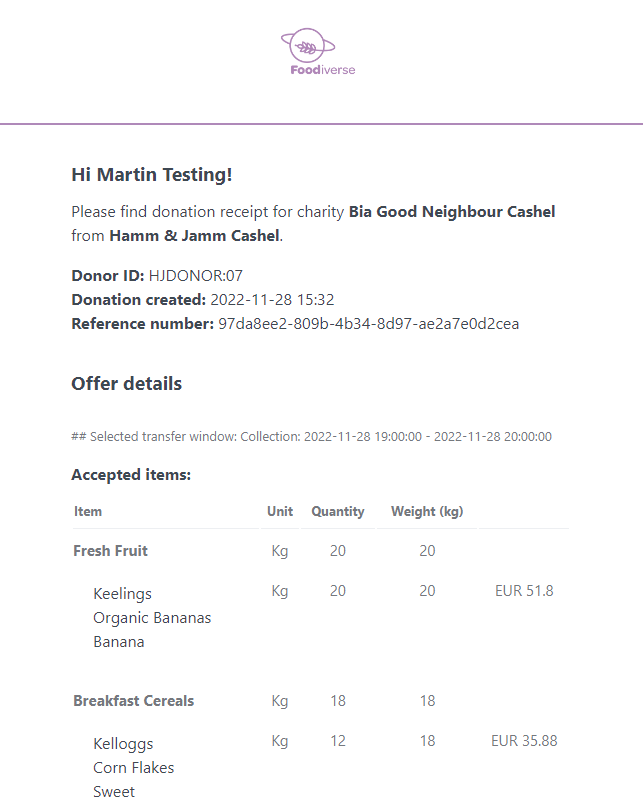
Foodiverse can send two types of email receipts;
-
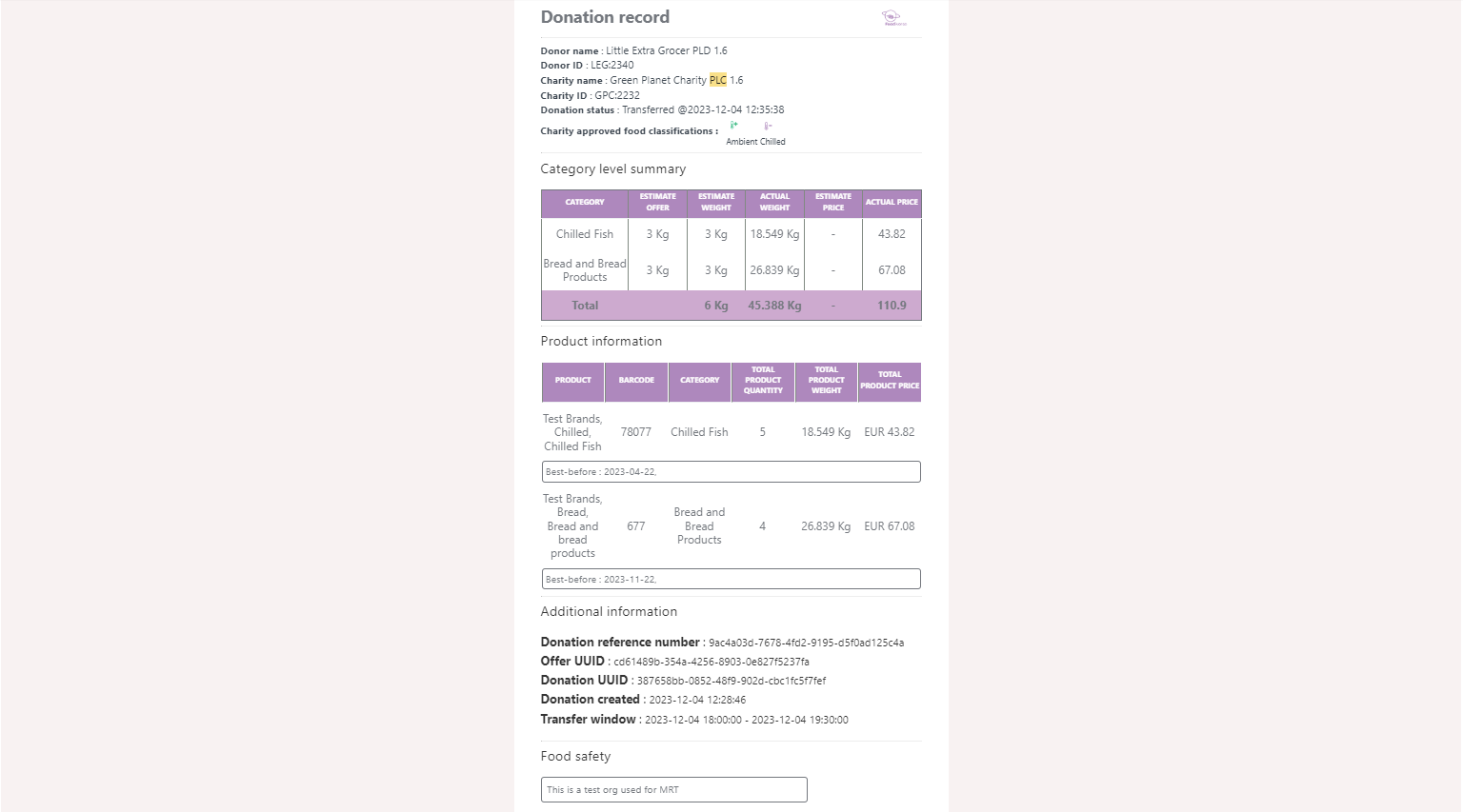
When PLD (Product Level Detail) is added to a donation.
-
When cPLD (Categorised Product Level Detail) is added to a donation.
Some donors provide this information through integration with Foodiverse
The recipients of the email receipt are;
-
Charity branch users
-
Donor branch users
-
Charity organisation admins
-
Donor organisation admins
An email receipt is not sent or received by any user if the branches setting's is set to do not send donation receipts
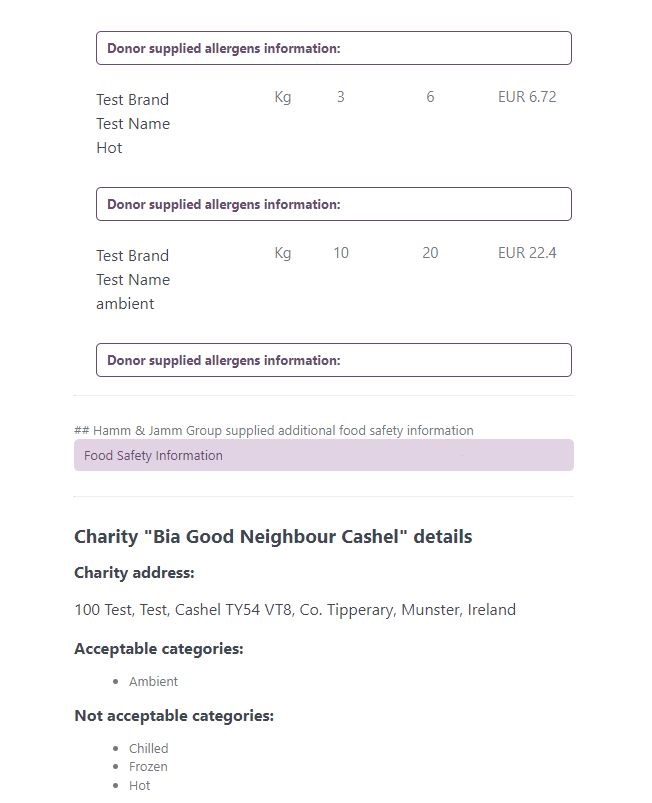
Donation Receipt email
-
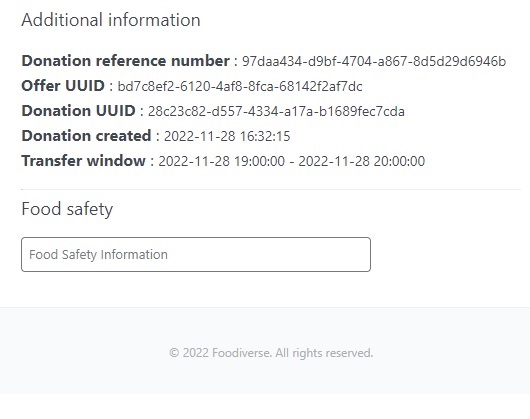
Allergen and Food Safety Information will be displayed if supplied by the donor
Donation Record email
-
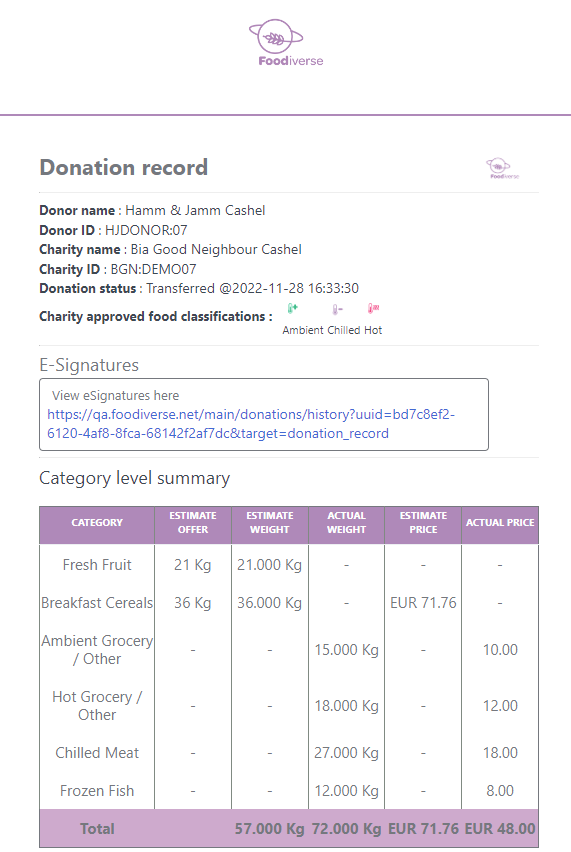
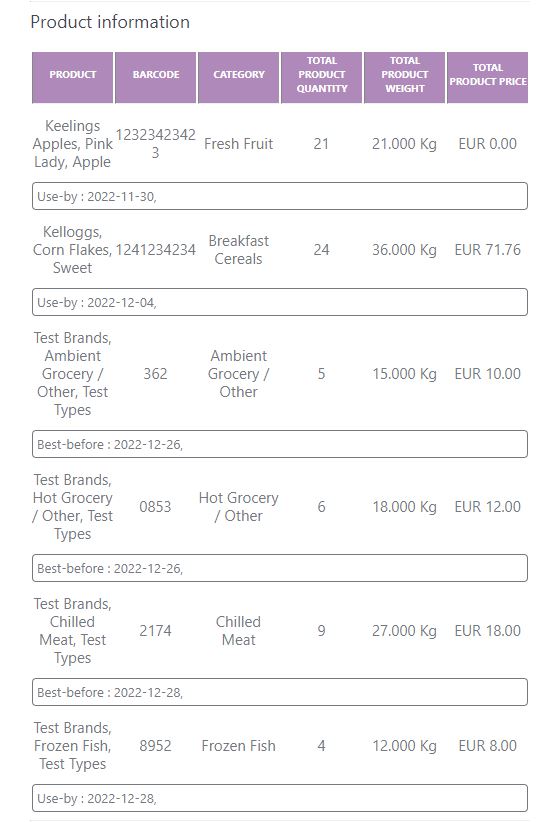
The email receipt is generated when cPLD has been provided by the donor and the donation is marked Transferred by the donor.
-
Allergen information and Food Safety Information will be displayed if supplied by the donor
-
If eSignatures are switched On for this donor then a link to the eSignatures will be included
Related articles
Still haven’t found your answer? Try:
Mark an offer as transferred (collected/delivered)
Mark an Offer as Not Transferred on Mobile app (charity)
Mark an Offer as Transferred/Not Transferred on Mobile app (donor)