
Transfer Report
The Transfer Report helps you review donations that have been transferred and check whether collection confirmation is still needed.
Use this report to understand:
-
how many donations were transferred
-
how the transfer was completed
-
whether the charity confirmed the collection
-
which transferred donations are still missing confirmation
Who this article is for
This article is for Food Network administrators, donors, and charities who review donation transfer activity in Foodiverse.
What the report shows
The report focuses on donations that have already been marked as transferred. It shows the transfer method and whether charity confirmation has been received.
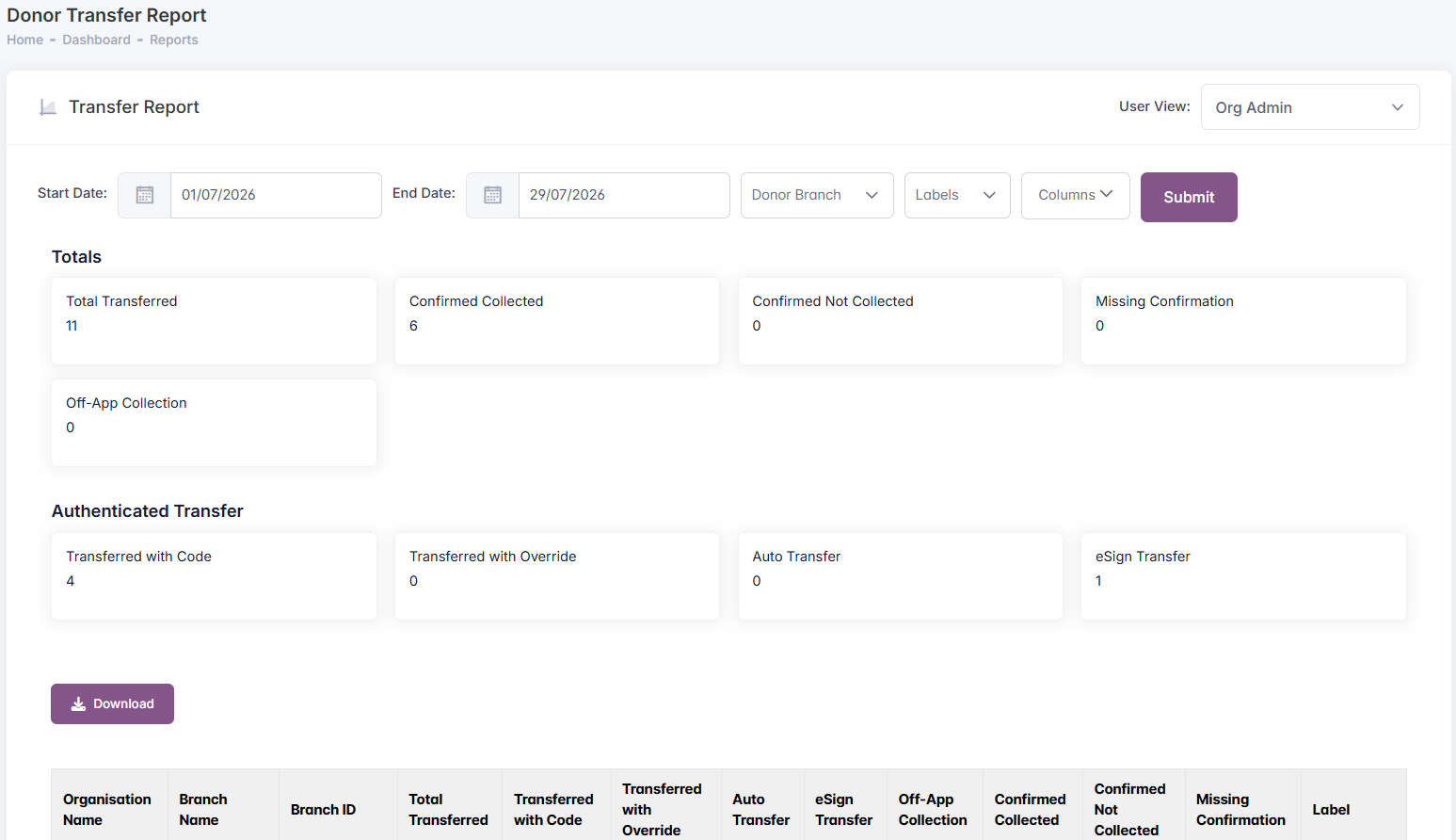
Report columns
-
Total Transferred — the total number of donations marked as transferred.
-
Transferred with Code — donations transferred using a collector code.
-
Transferred with Override — donations transferred manually by the donor when the usual transfer method could not be used.
-
eSign Transfer — donations transferred using eSign.
-
Auto Transfer — donations automatically transferred by the system.
-
Off-app Collection — donations collected outside Foodiverse.
-
Confirmed Collected — donations where the charity confirmed they received the food.
-
Confirmed Not Collected — donations where the charity confirmed they did not receive the food.
-
Missing Confirmation — transferred donations where charity confirmation has not been received yet.
Why the totals may not match
The confirmation columns do not always add up to the Total Transferred number.
This is expected. Some transfer methods already confirm that the collection happened, so they do not need a separate charity confirmation. These include collector code transfers, eSign transfers, and off-app collections.
For this reason, the Missing Confirmation number only applies to donations where a separate charity confirmation is expected.
Auto-transferred donations
Some donations may be automatically transferred by Foodiverse. These are shown with an Auto transferred label in Recent Offers and on the Donation Details page.
This helps you identify donations that were transferred by the system rather than manually by a donor.
What changed in the report
The Transfer Report now focuses only on transferred donations and collection confirmation.
The following columns are no longer included: Total Food Offered, Total Accepted, Branch Address, and Confirmation Coverage %.
This makes the report simpler and keeps the focus on what happened after a donation was transferred.