
This report can be viewed by Food Network administrators.
About the Onboarding Report
The Onboarding Report gives you one place to see the charities and donors that are joining your Food Network, and where each one is in the onboarding process. Use it when you want to check several organisations at once, instead of opening each membership one by one.
The report automatically shows only your own Food Network. You don't need to choose it.
Viewing the Onboarding Report
-
Log in to your Foodiverse Food Network administrator account on the web.
-
Open Reports, then Advanced Reports.
-
Select Foodbank Onboarding .
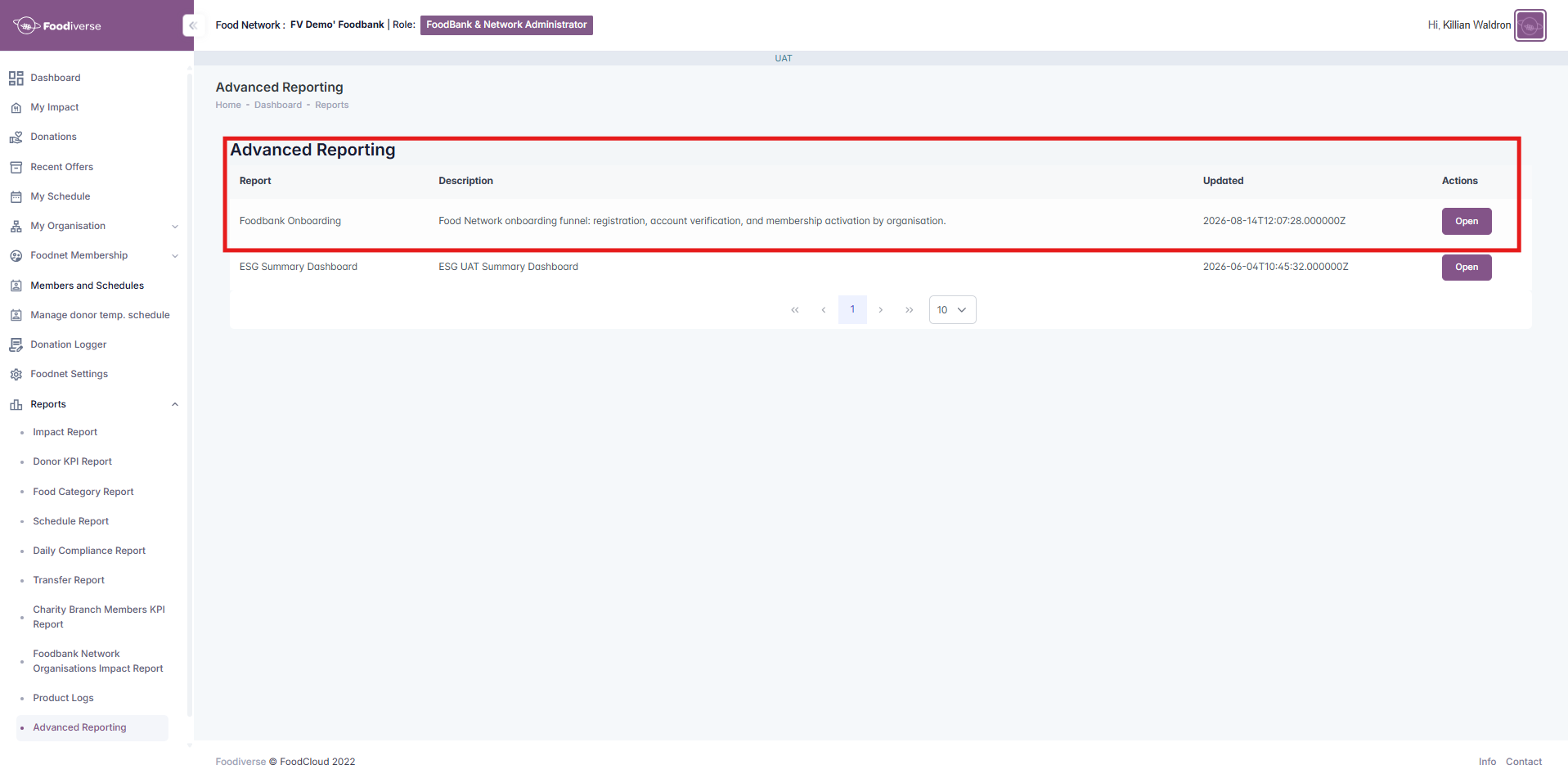
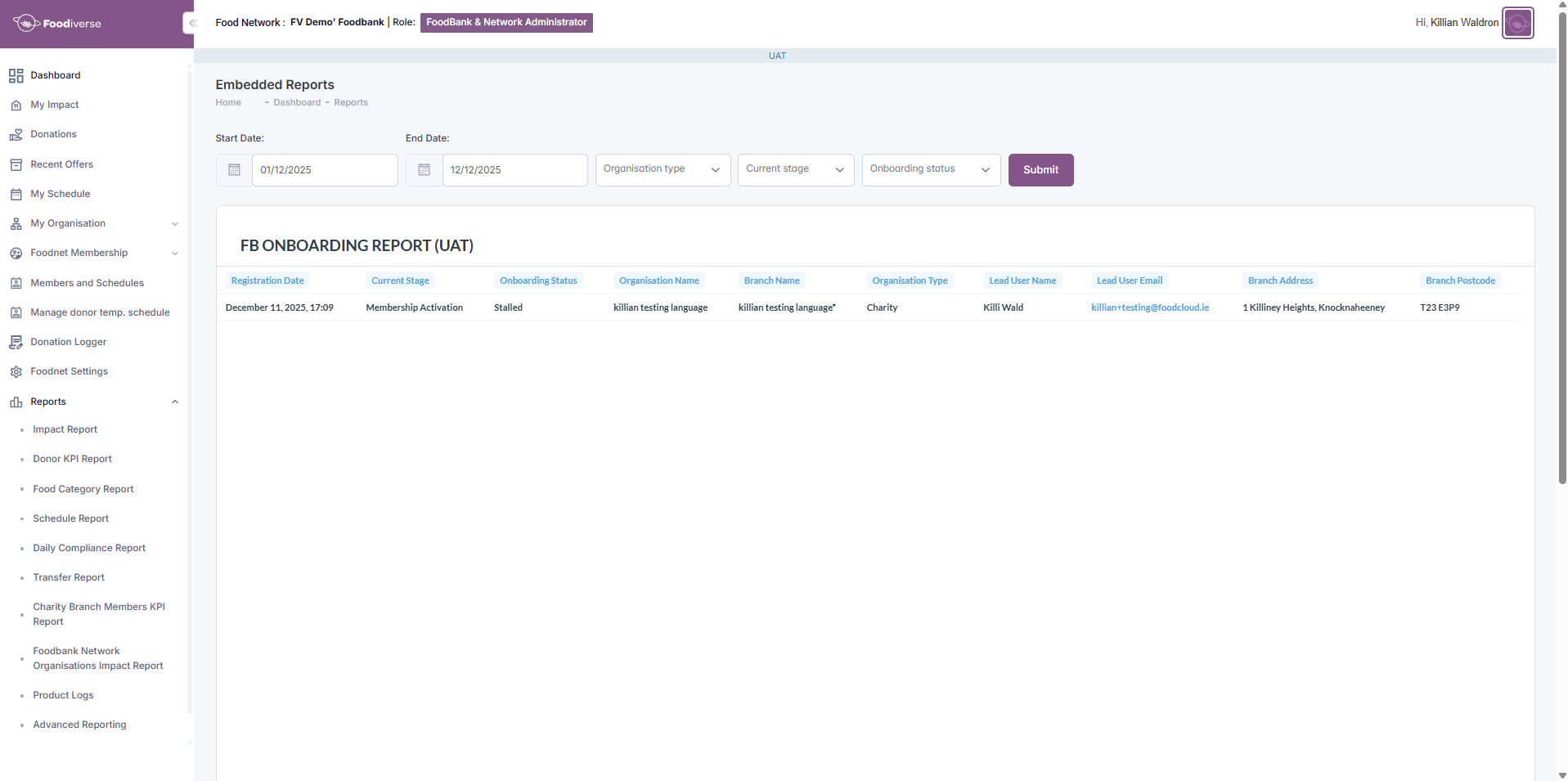
When the report opens, choose the dates you want to see and click Submit.
Choosing what to show
Use the date fields and filters at the top of the report to narrow down the organisations you see, then click Submit:
-
Start Date and End Date: the dates you want to see.
-
Organisation type: Charity or Donor.
-
Current stage: Account Verification, First Login or Membership Activation. See below for what each one means.
-
Onboarding status: In Progress, Stalled or Completed. See below for what each one means.

Understanding the report
Each row is one organisation branch. The report shows:
-
Registration Date: when the organisation registered.
-
Current Stage: where the organisation is in onboarding now.
-
Account Verification: the organisation hasn't set its password yet.
-
First Login: the password is set, but nobody has signed in yet.
-
Membership Activation: the password is set and the organisation has signed in. The remaining step is the Food Network membership.
-
-
Onboarding Status: how onboarding is going.
-
In Progress: onboarding isn't finished yet, and the organisation registered within the last 3 days.
-
Stalled: onboarding isn't finished yet, and the organisation registered more than 3 days ago.
-
Completed: the password is set, the organisation has signed in, and its membership is activated.
-
-
Organisation Name, Branch Name and Organisation Type.
-
Lead User Name and Lead User Email: the contact for the organisation.
-
Branch Address and Branch Postcode.
Which should I use: the report or the checklist?
-
Use the Onboarding Report to review onboarding across many organisations, or to find organisations that may need attention.
-
Use the Onboarding Checklist on an organisation's membership page to look closely at one organisation. See Approve applications to my Food Network.
Together, these help you see where onboarding has stopped before you contact an organisation or ask for support.
Related articles
Still haven't found your answer? Try:
Approve applications to my Food Network