Useful information for Donors and Foodbanks
-
Navigate to ‘View my Donations’ at the bottom of your dashboard

-
The donations page has been updated to include
-
Improved donation cards
-
Improved donation filtering
-
Improved donation records
-
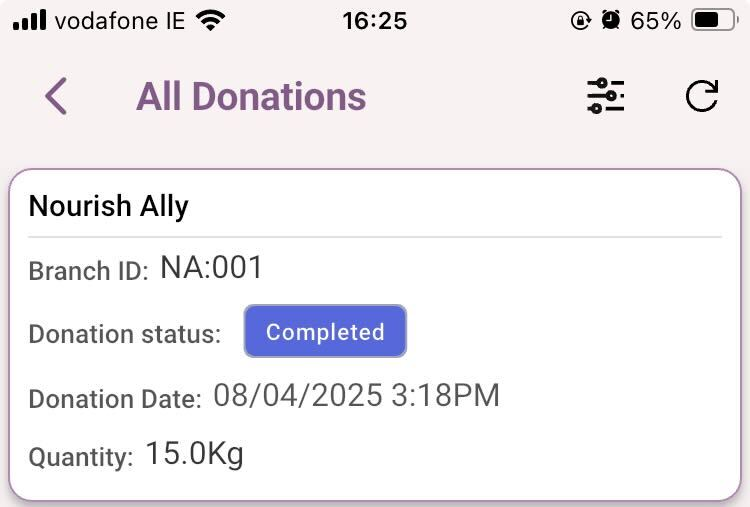
The donation’s page with updated donation cards
-
The new cards contain:
-
The donor branch name
-
The donor branch ID
-
The donation status
-
The time and date the donation was created
-
The quantity of the donation
-
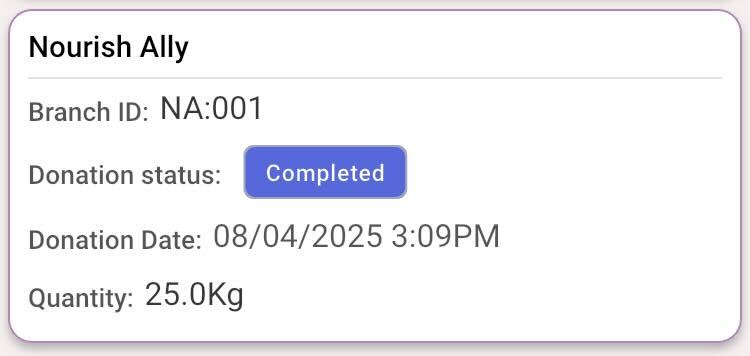
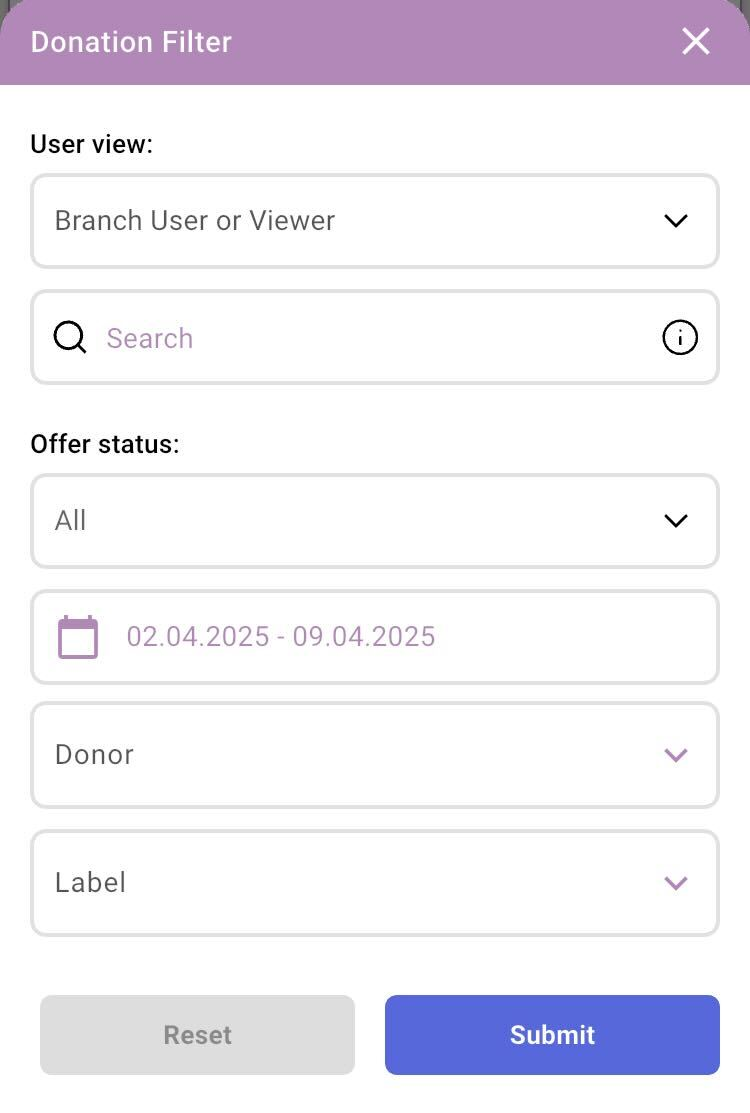
The new donation’s page filter'
-
The new filter will allow you to refine donations based on;
-
The user view
-
The search bar is used to filter by;
-
Offer ID
-
Reference ID
-
-
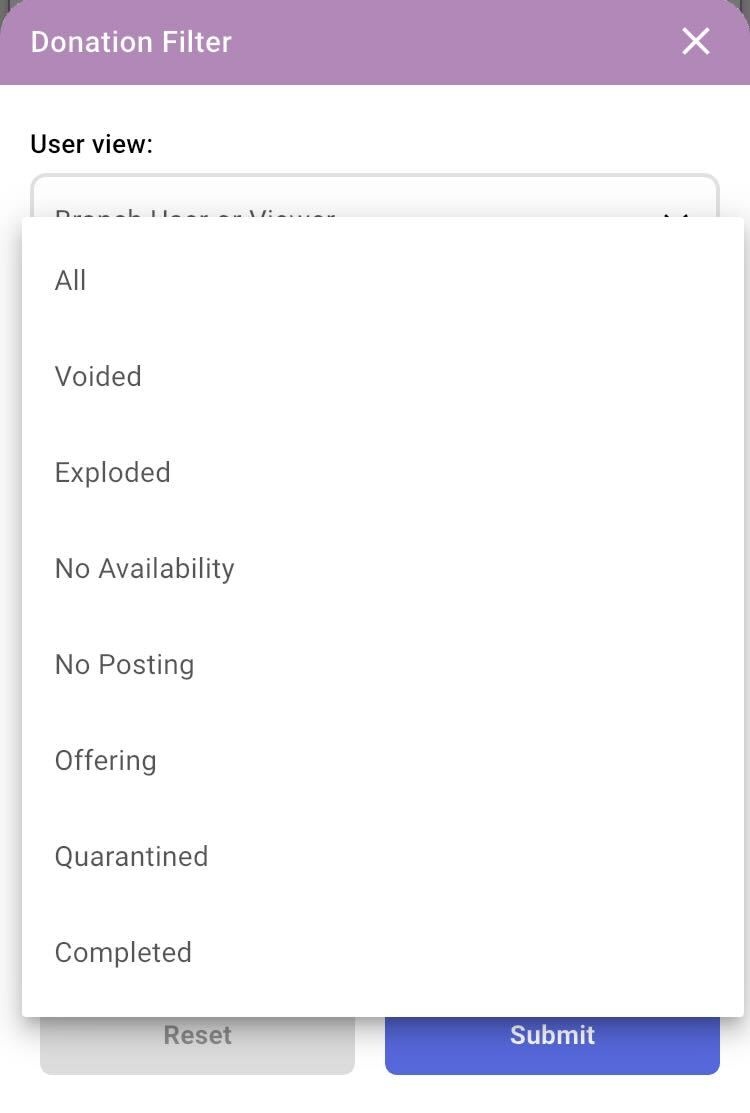
The status of the offer (pictured below)
-
-
The date range that donations were offered at
-
The name of the donor branch
-
The option to filter branches based on labels
Don’t forget to press ‘Submit’ to see your filters applied
The ‘Donation details’ page
This page is accessed by tapping on a donation card in the ‘All donation’ page
-
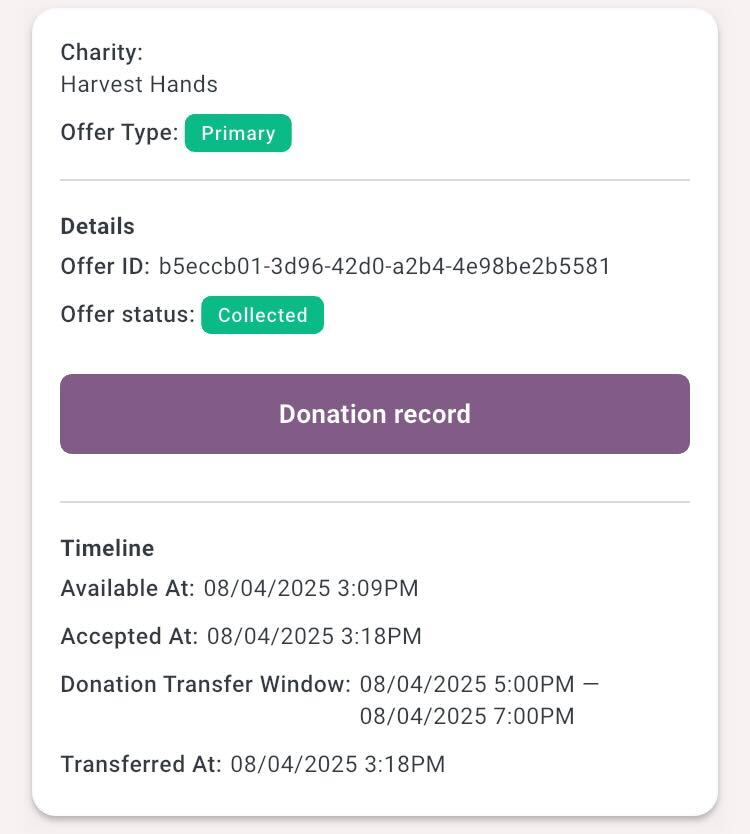
The first section contains;
-
The charity name
-
The offer type
-
The donation details
-
The Offer ID
-
The Offer status
-
-
The donation record
-
The timeline
-
When the donation was available at
-
When the donation was accepted at
-
The donation transfer window
-
End and Start time
-
-
When the donation was transferred at
-
-
-
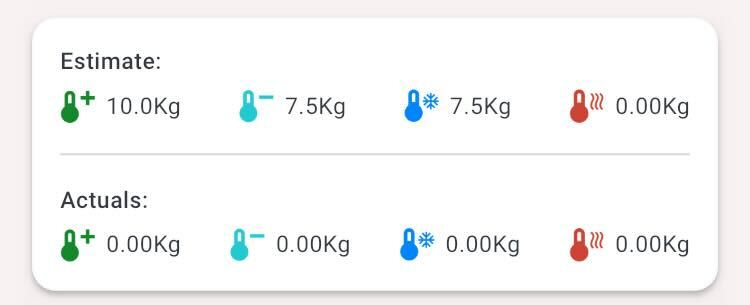
The next section contains;
-
The estimates of the donation
-
The actual weight of the donation
-
Only if supplied
-
-
-
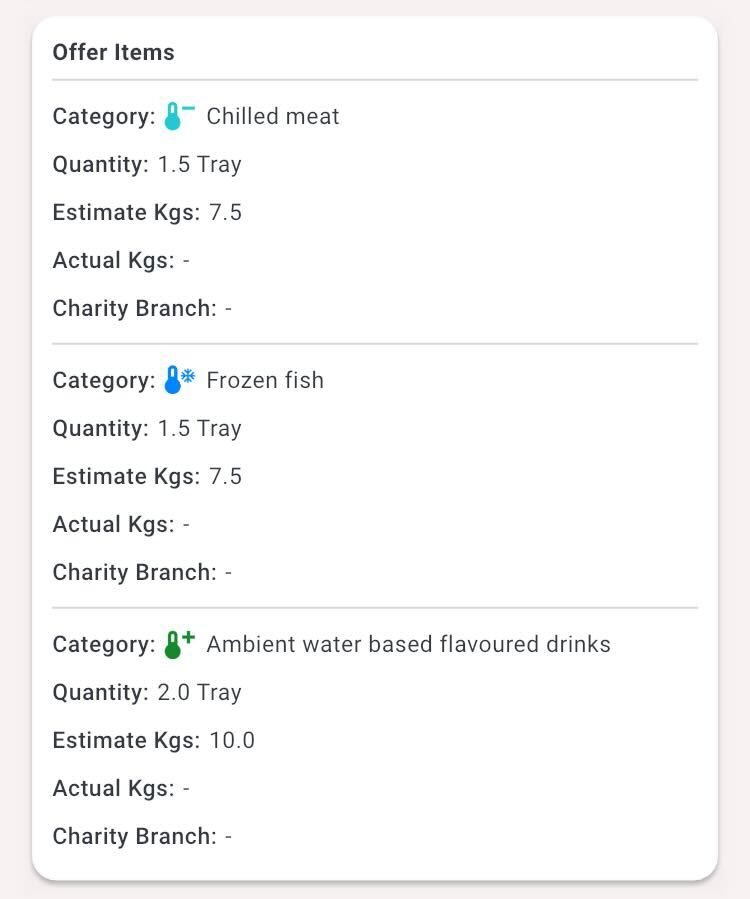
The ‘Offer items’ section contains;
-
Each category offered
-
The quantity of each category
-
The estimated weight of each category
-
The actual weight of each category
-
The charity branch that took the category
-
-
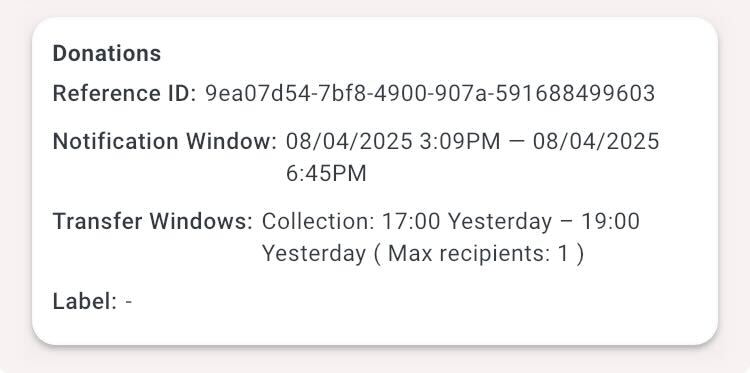
The ‘Donation’ section contains;
-
The reference ID of the donation
-
The Notification window time and date for the donation
-
The Transfer window time and date
-
The Label applied to the donor branch
-
The ‘Donation record’
The donation record can be accessed from the button at the top of the donation details
The donation record contains 3 sections;
-
Donor, charity and donation information
-
The offer items
-
The donation details
-
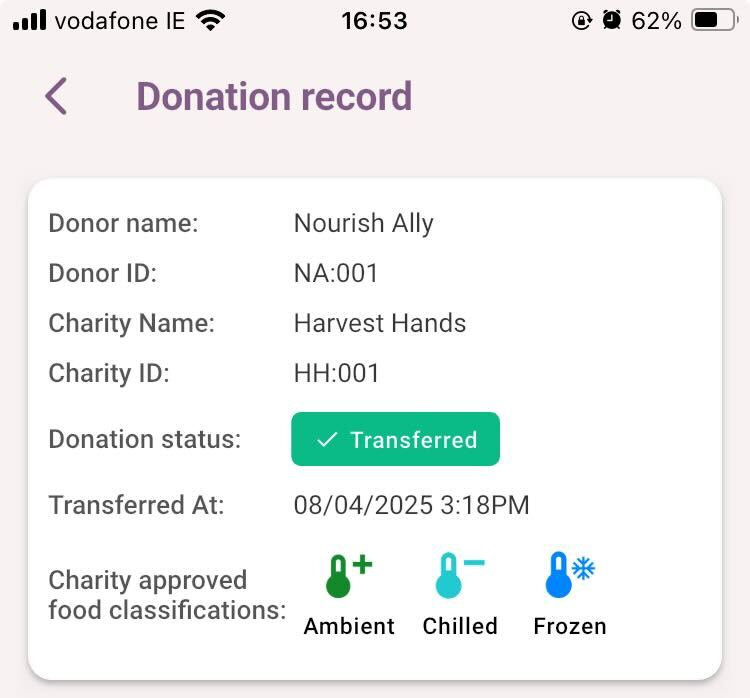
The Donor, charity and donation information section contains
-
Donor name
-
Donor ID
-
Charity name
-
Charity ID
-
Status of the donation
-
The time and date the donation was transferred at
-
The food classifications from the donation that the charity can accept
-
-
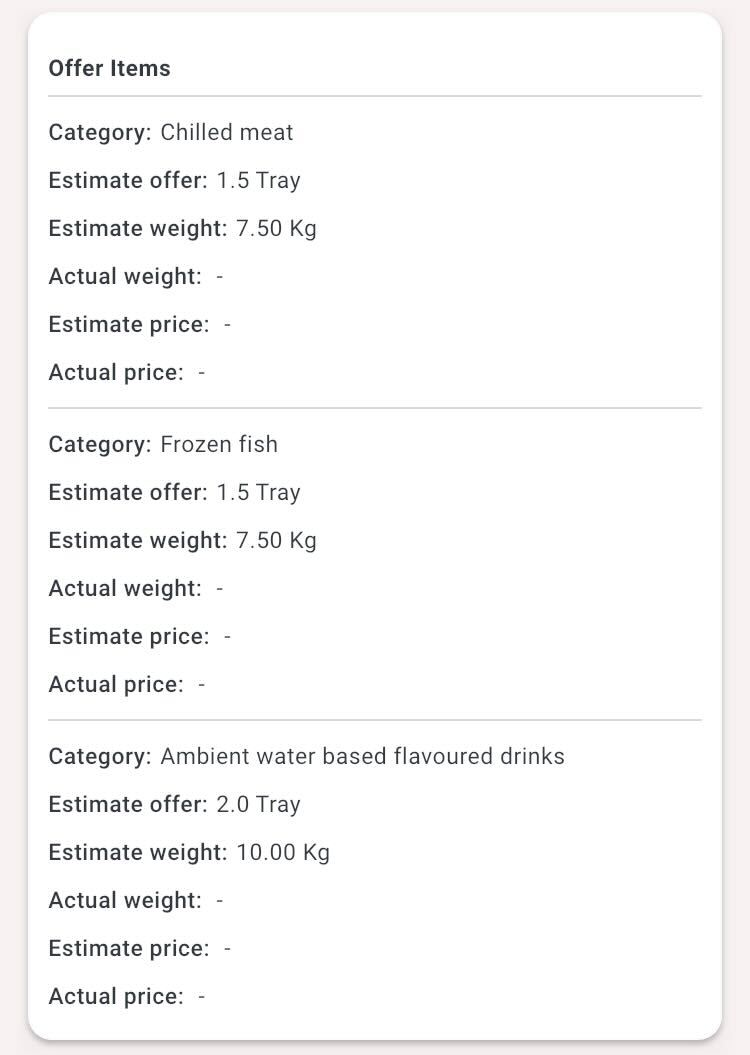
The offer items section contains
-
The category donationed
-
The estimated offer, including non-translated donation weight
-
The estimated weight of the category
-
The Actual weight of the category
-
Only if the donor has supplied
-
-
The Estimate price of the category
-
The actual price of the category
-
Only if the donor has supplied
-
-
-
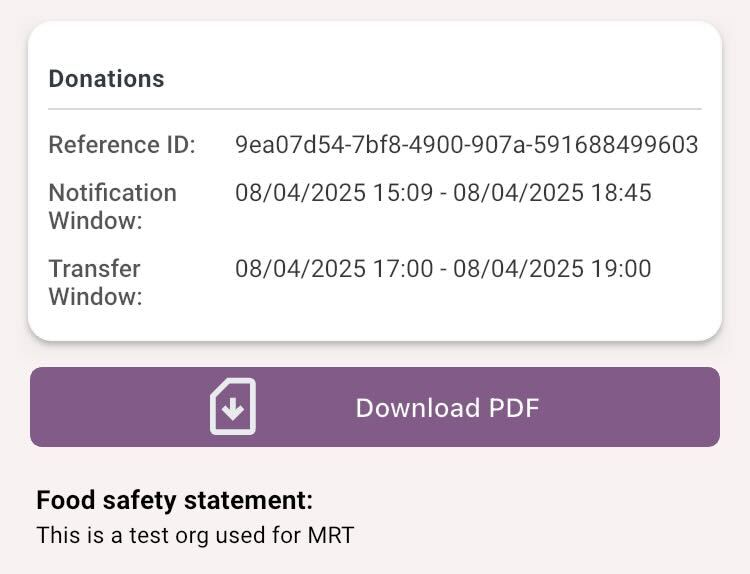
The Donations section contains;
-
The donation reference ID
-
The notification window chosen
-
Time and date start
-
Time and date end
-
-
The Transfer window chosen
-
Time and date start
-
Time and date end
-
-
The option to download the record as a PDF
-
Any food safety message supplied by the donor (at an organization level)
-