
Useful information for Donor, Charity and Foodbanks acting as a Donor/Charity
Navigate
How to set up donation auto split
All charities on the schedule must have their maximum weight capacity set, otherwise the donation will follow the normal donation flow
-
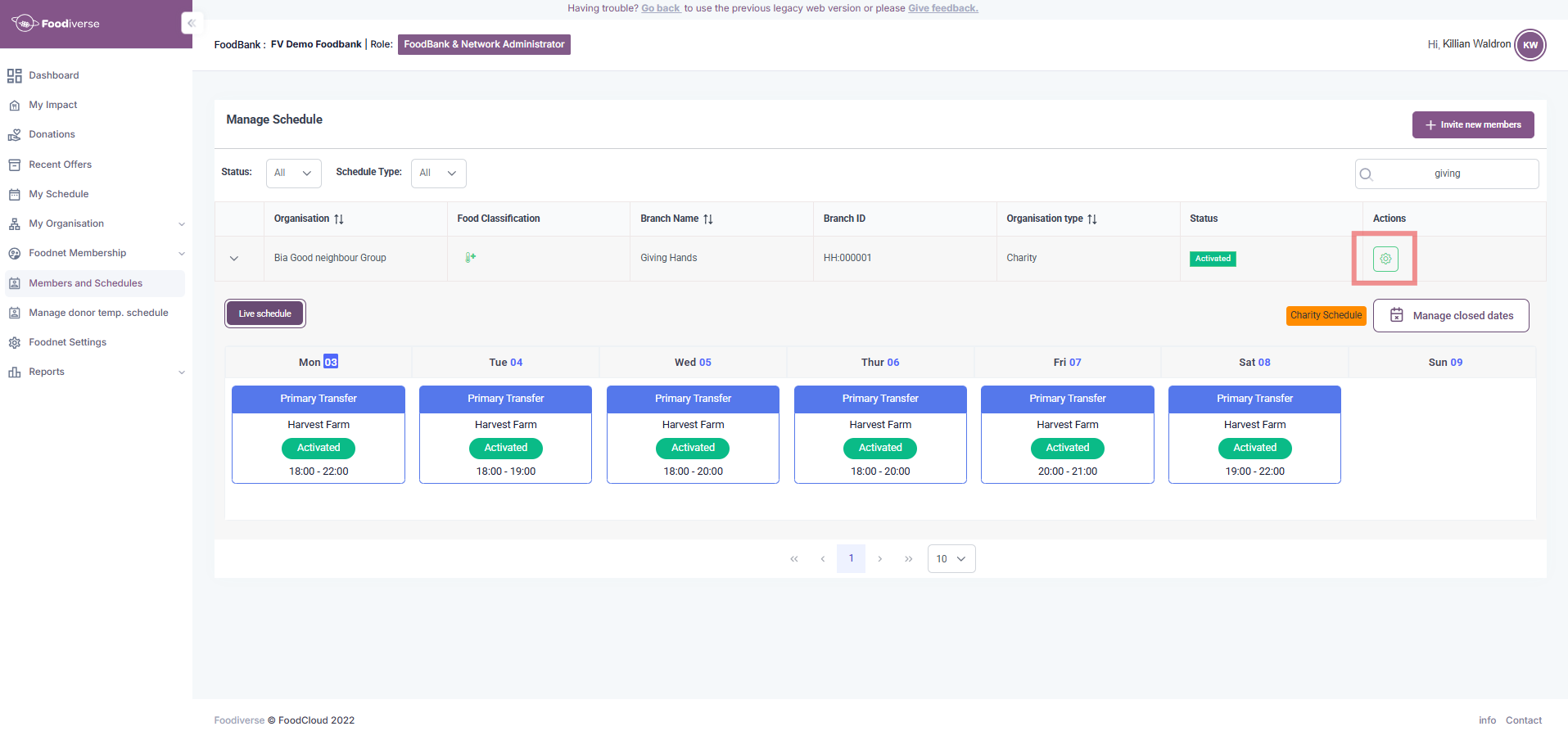
As a Foodbank admin, navigate to Members and Schedules → Search for the desired charities to split the donation(s) → Edit
-
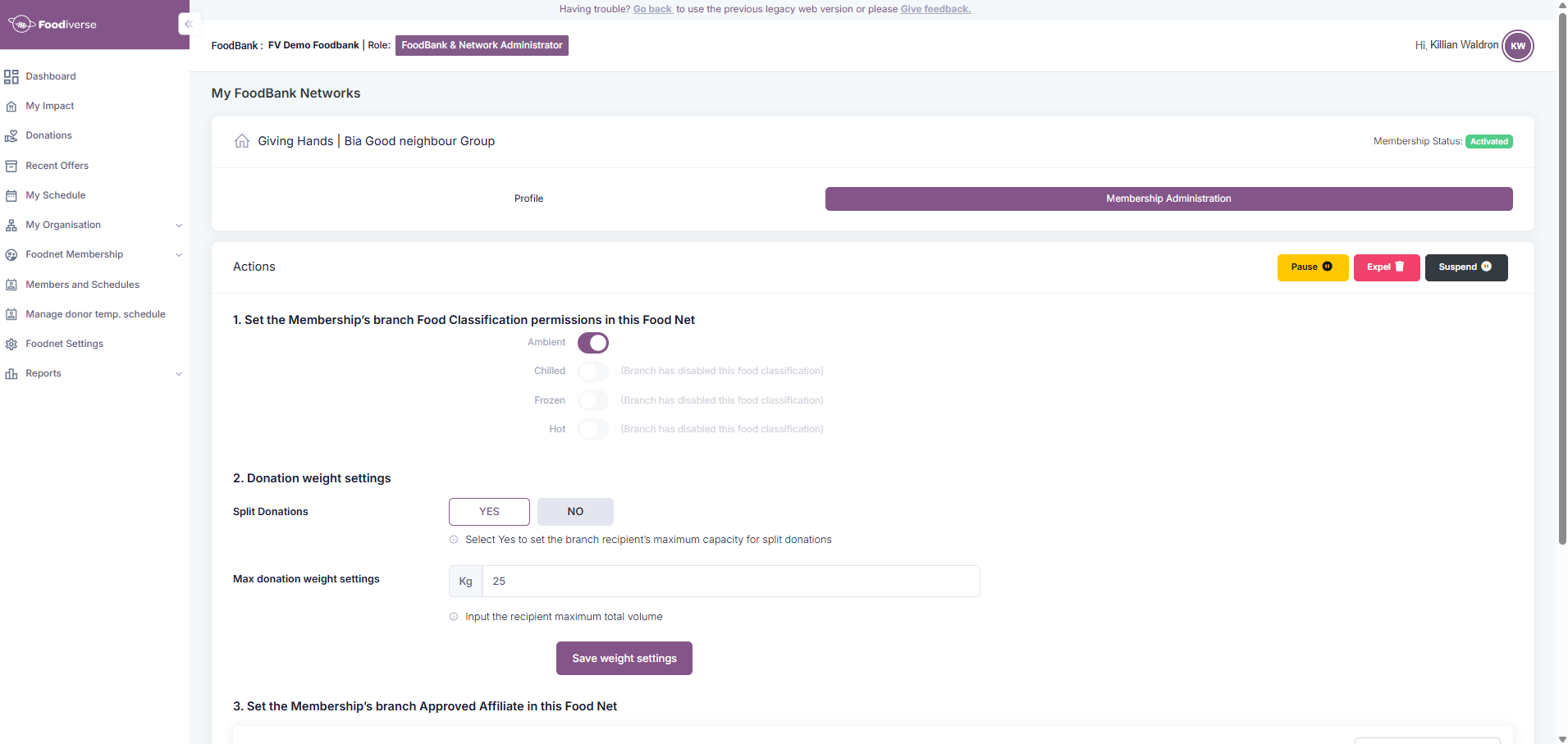
In the Membership Administration tab, in the Donation weight settings section;
-
Click the YES button
-
Enter the maximum weight the branch can accept
-
-
Next, create a collection window for a donor
-
If the above steps have been completed, each charity will look like this
-
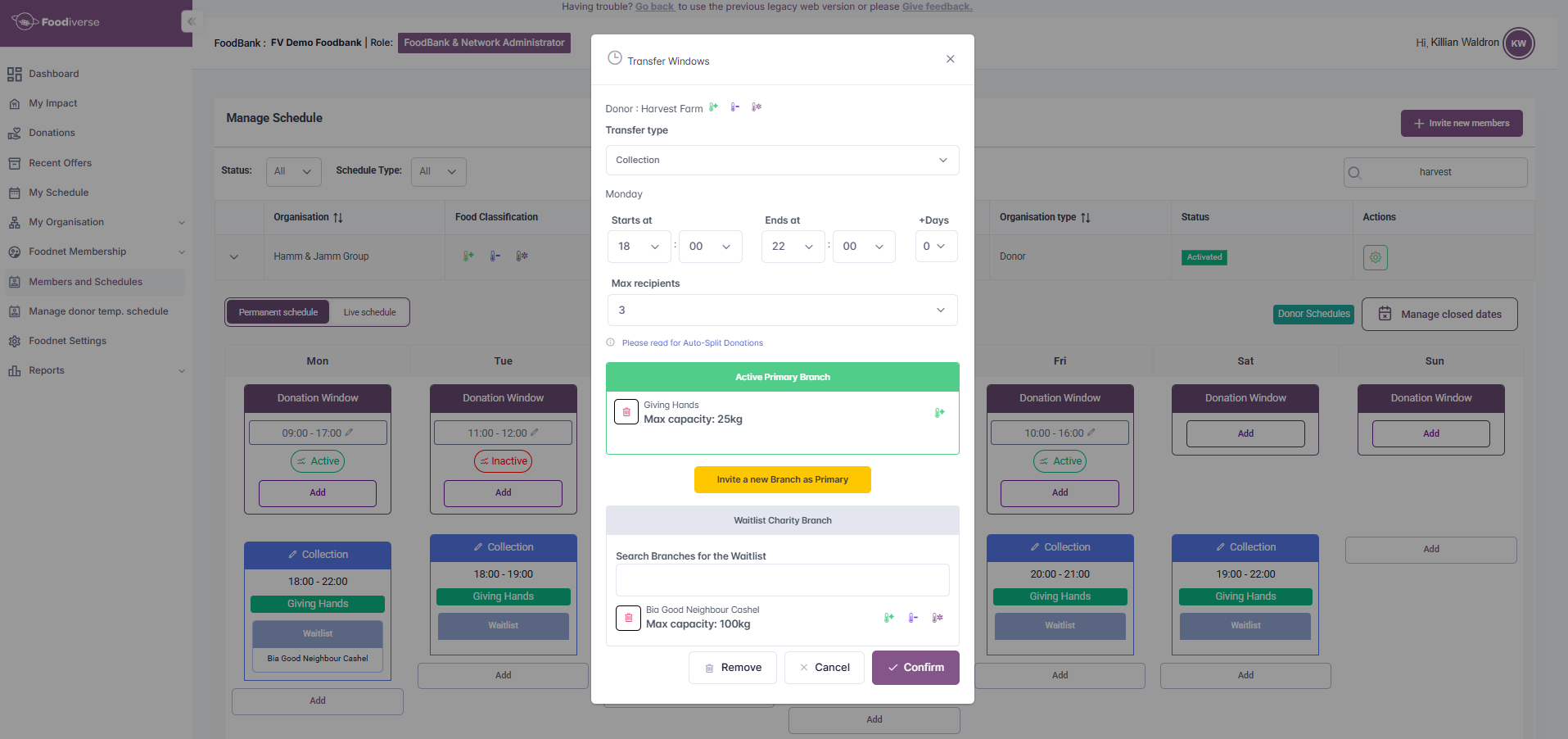
The “i” information button will provide in-depth information on auto splitting
-
Setting the maximum collector to +1 on top of the scheduled charities allows any food not split to go to the Foodboard
This section must be done for this feature to work as expected.
Using auto split donations
-
As a donor, offer a donation using the correct collection window
-
Click here if you are unsure how to do this
-
-
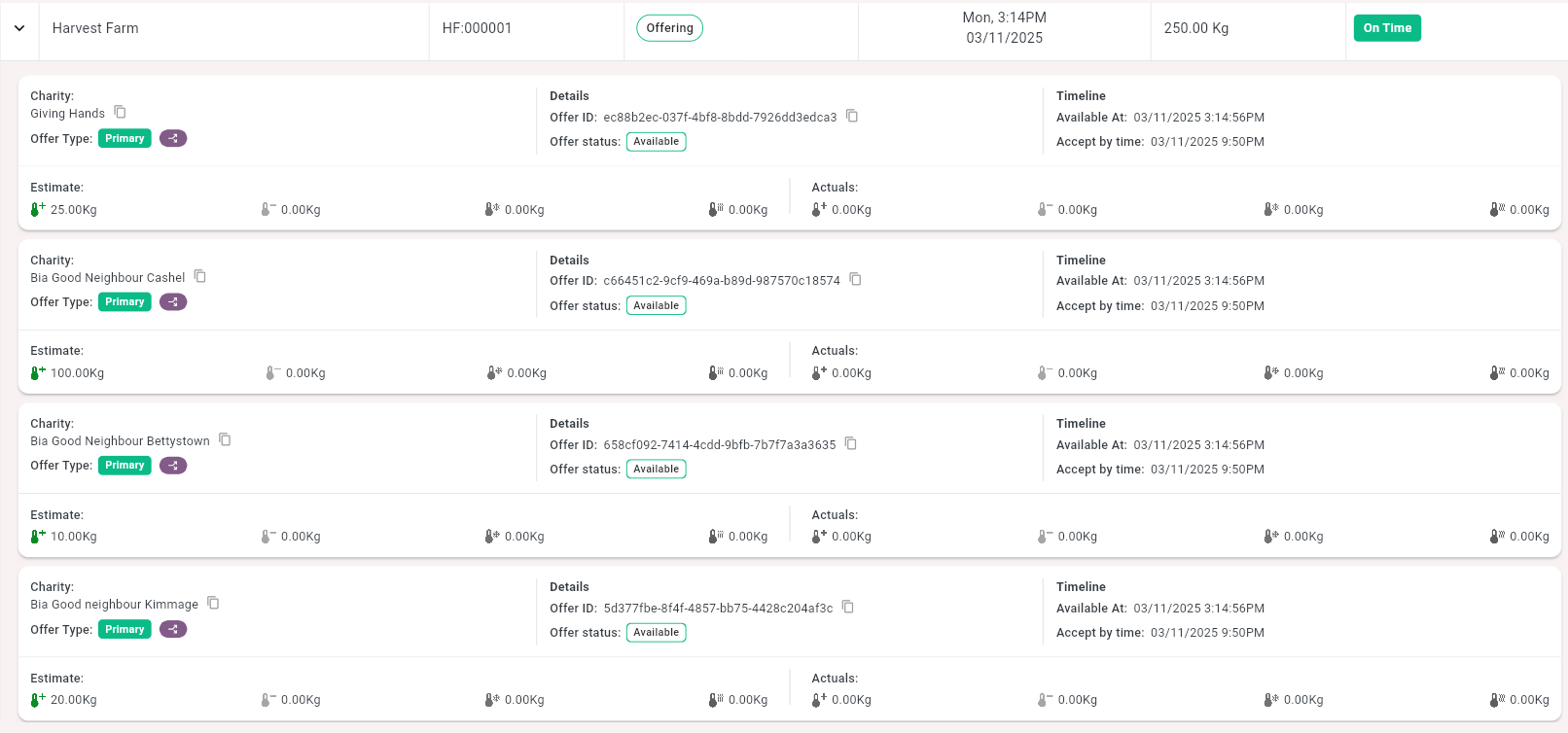
Once the donation has been offered, go to your Donations page to view the split donation
-
The split donation will have an arrow, indicating it has been split
-
The donation is now being offered to the charities on the schedule, splitting based off the weight set in the section above
If the donation size is more than the combined amount each charity can accept, the rest of the donation will be offered to the Foodboard.
Auto split from charity point of view
-
The donation will be offered to the charity as a normal donation

-
The charity can now accept the donation as normal from their dashboard
-
Here is an example of a split donation in the offer history.

-
Here is an example of a split donation from the Foodiverse mobile app

Note the arrow, indicating the donation has been split before being offered to the charity
Cascading auto split
This new update ensures that the donation flows as expected when parts of the split donation are not accepted
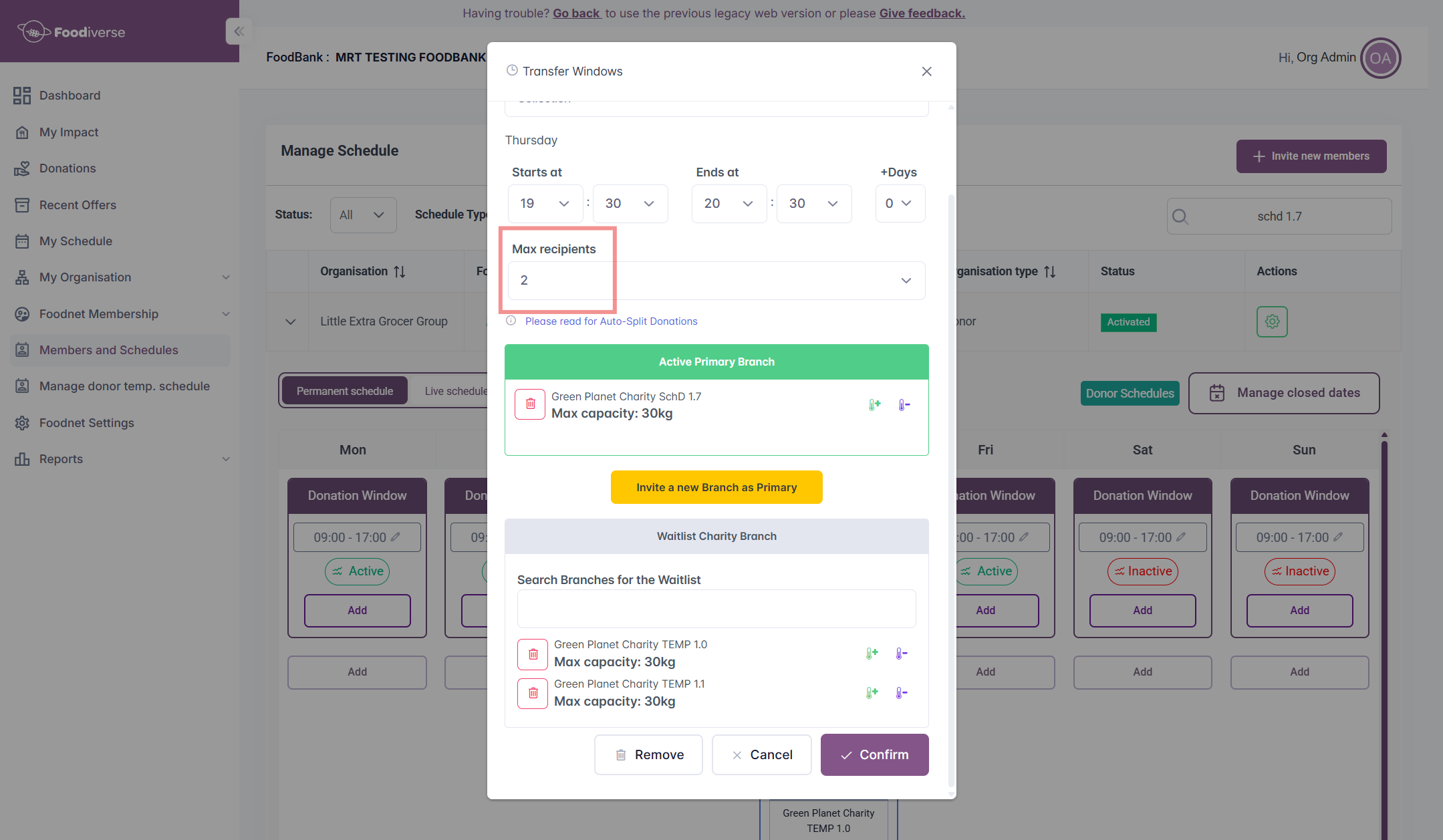
The max recipients is less than the number of charities on the schedule
-
The donation will be split between the max recipients set on the schedule, no matter how many charities are added
-
Now, the charities that are ordered on the schedule will be offered the donation in the same order
-
The charities outside of the max recipients. i.e charity 3 in this case, will be ‘Waitlist’ in the donation’s details
-
They will be offered the donation as a waitlist would be, once the VIP window has elapsed
-
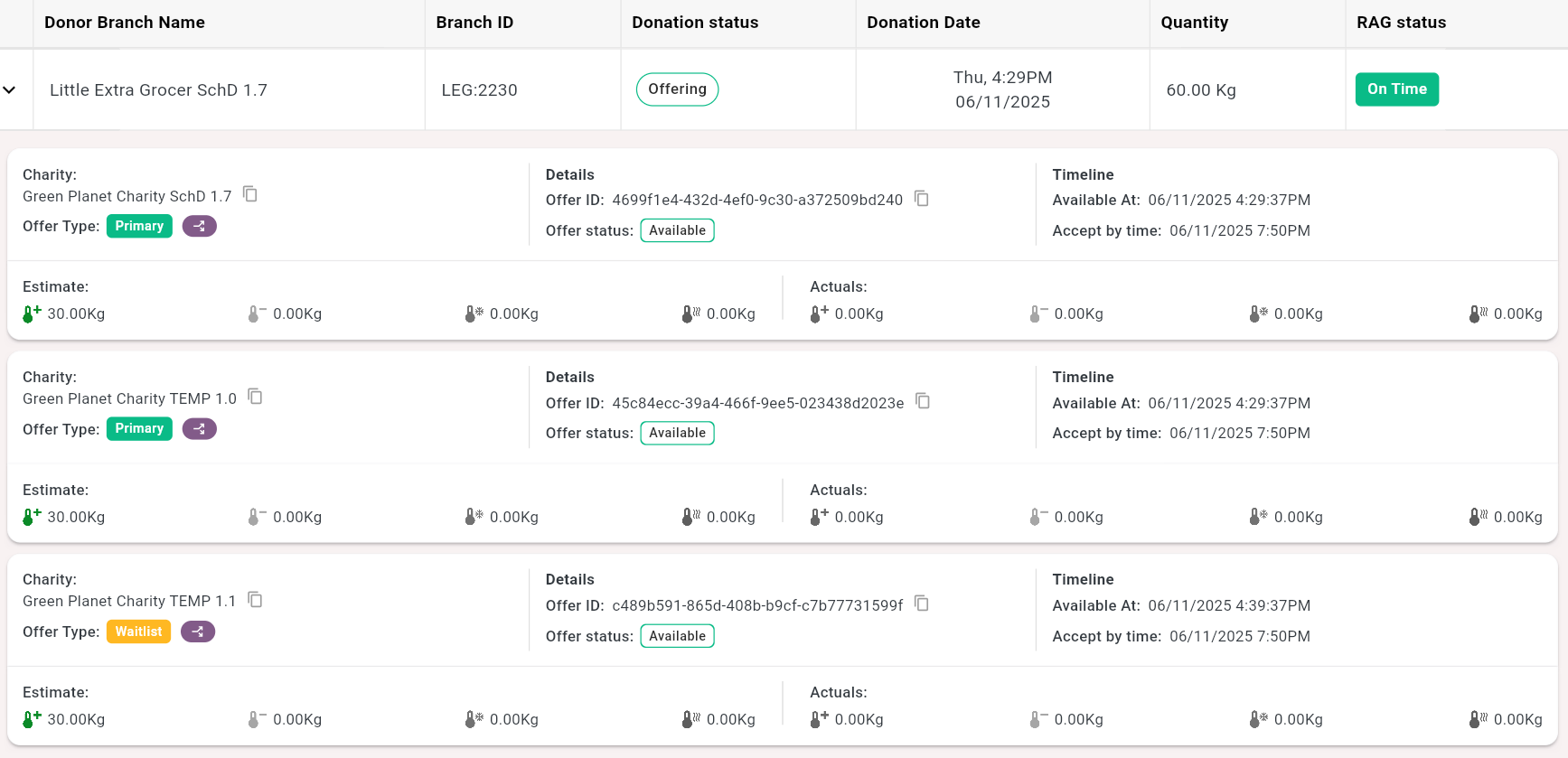
-
Once the VIP window has elapsed, or a primary charity reject the offer, the waitlist charities and foodboard charities will be able to accept the donation
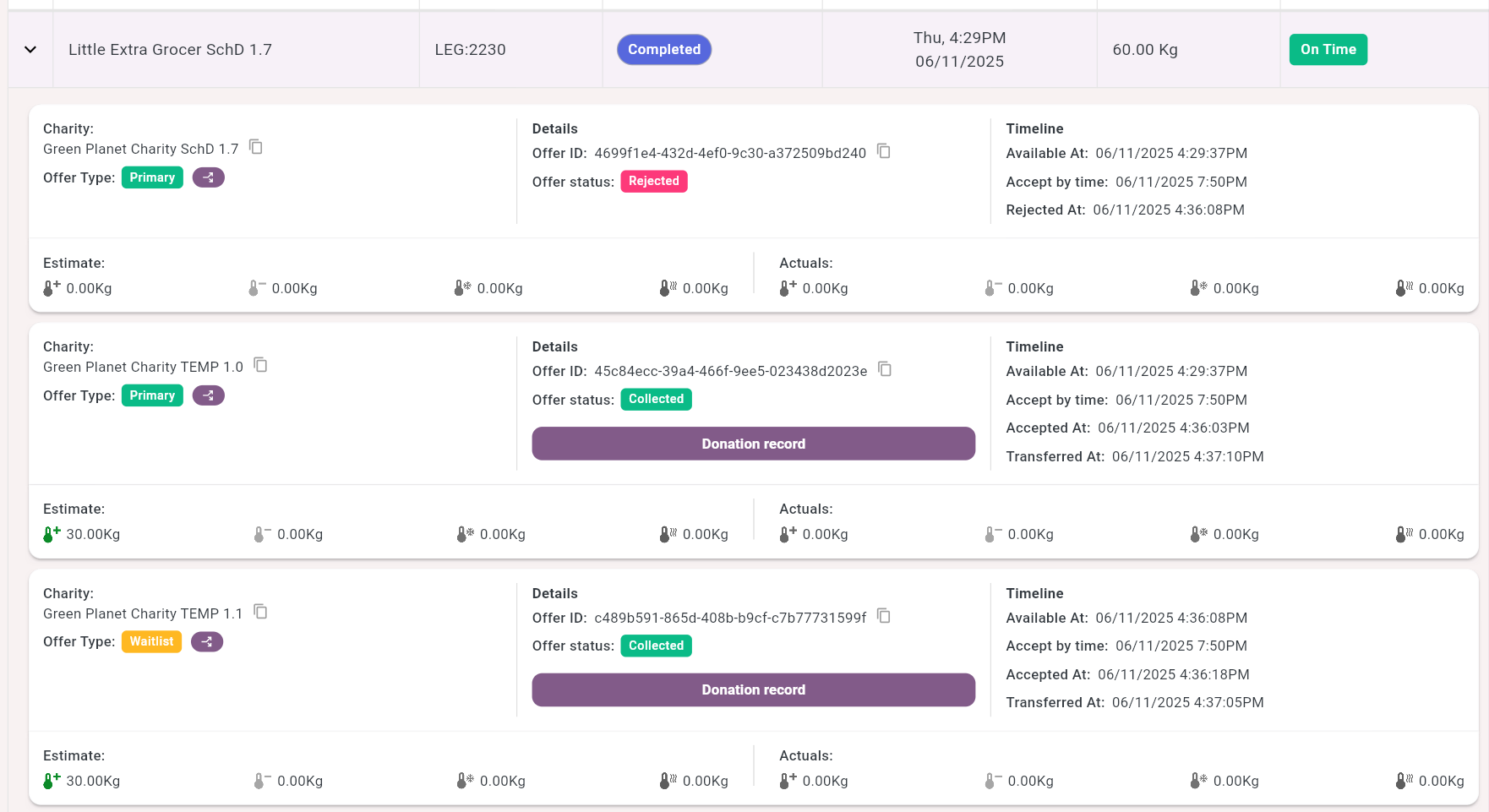
The waitlist charity/charities will be offered up to their maximum weight capacity set, unless the remainder of the donation is below their capacities threshold