
Useful information for Foodbank users and admins, and for charity users.
Overview
Charity Slot Filler helps fill empty regular slots. When automation is turned on for a donor branch, Foodiverse looks for suitable matched charities and invites them, one at a time, to take a regular slot. Charities stay in control: nothing is scheduled until a charity chooses to accept.
It builds on the Slot Finder Report, which finds the charities that are well placed to collect. Slot Filler uses those matches to send the invitations and add the charity to the schedule.
Slot Filler does not guarantee that a slot will be filled. If the invited charities do not accept, automation stops and you can recruit manually.
How it works
-
A regular slot becomes empty and automation is turned on for that donor branch.
-
Foodiverse invites the best matched charity.
-
The charity chooses to accept or decline.
-
If the charity declines or does not respond in time, the next matched charity is invited.
-
Up to 3 charities are invited.
-
If a charity accepts, it is added to the schedule automatically. A Foodbank does not need to approve it.
-
If none of the 3 charities accepts, automation stops and manual recruitment is recommended.
For Foodbanks
Turn automation on or off for a donor branch
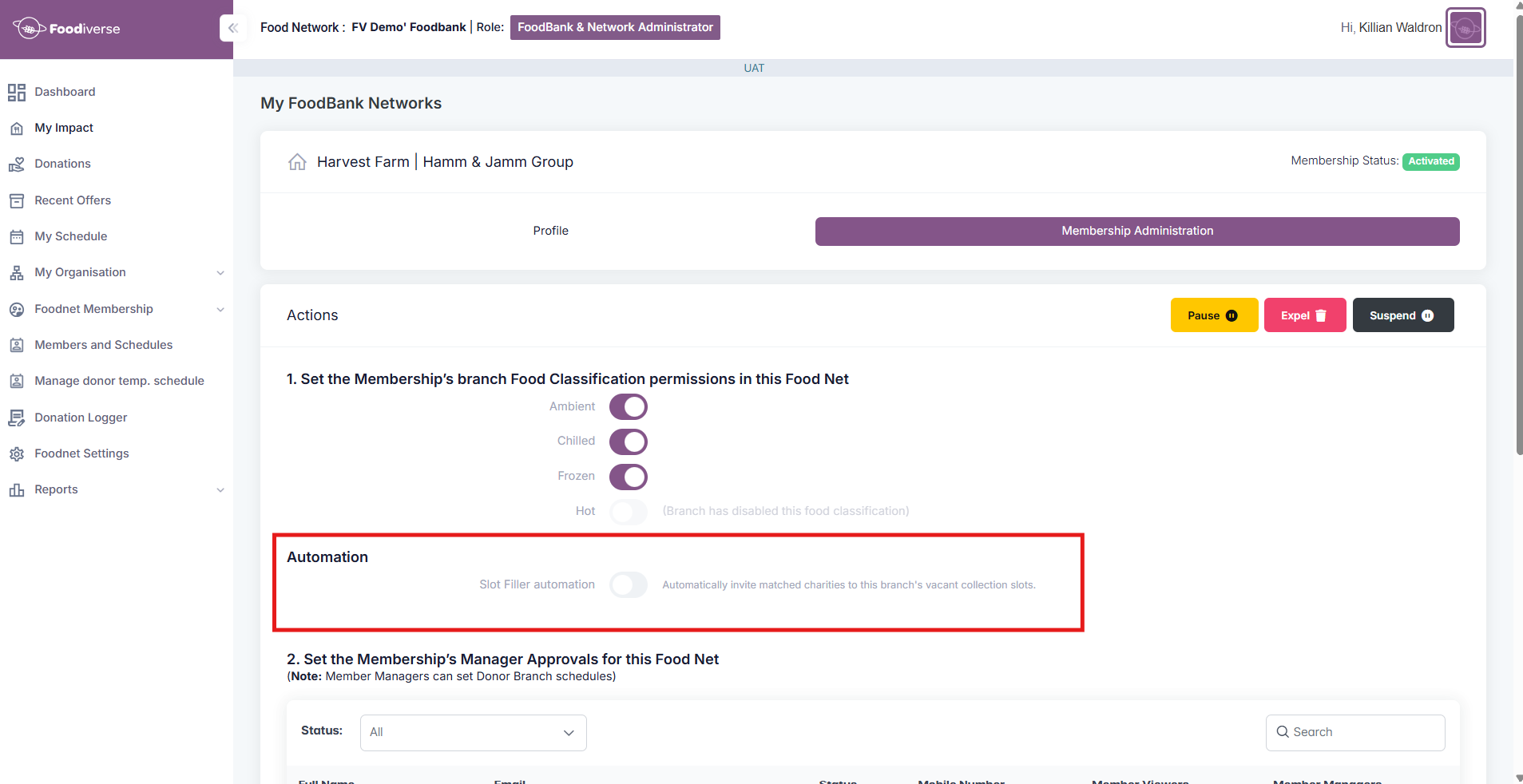
Foodbank admins turn Slot Filler on or off for each donor branch, from Membership Administration. It is on or off per donor branch, not for your whole network.
See which branches have automation on
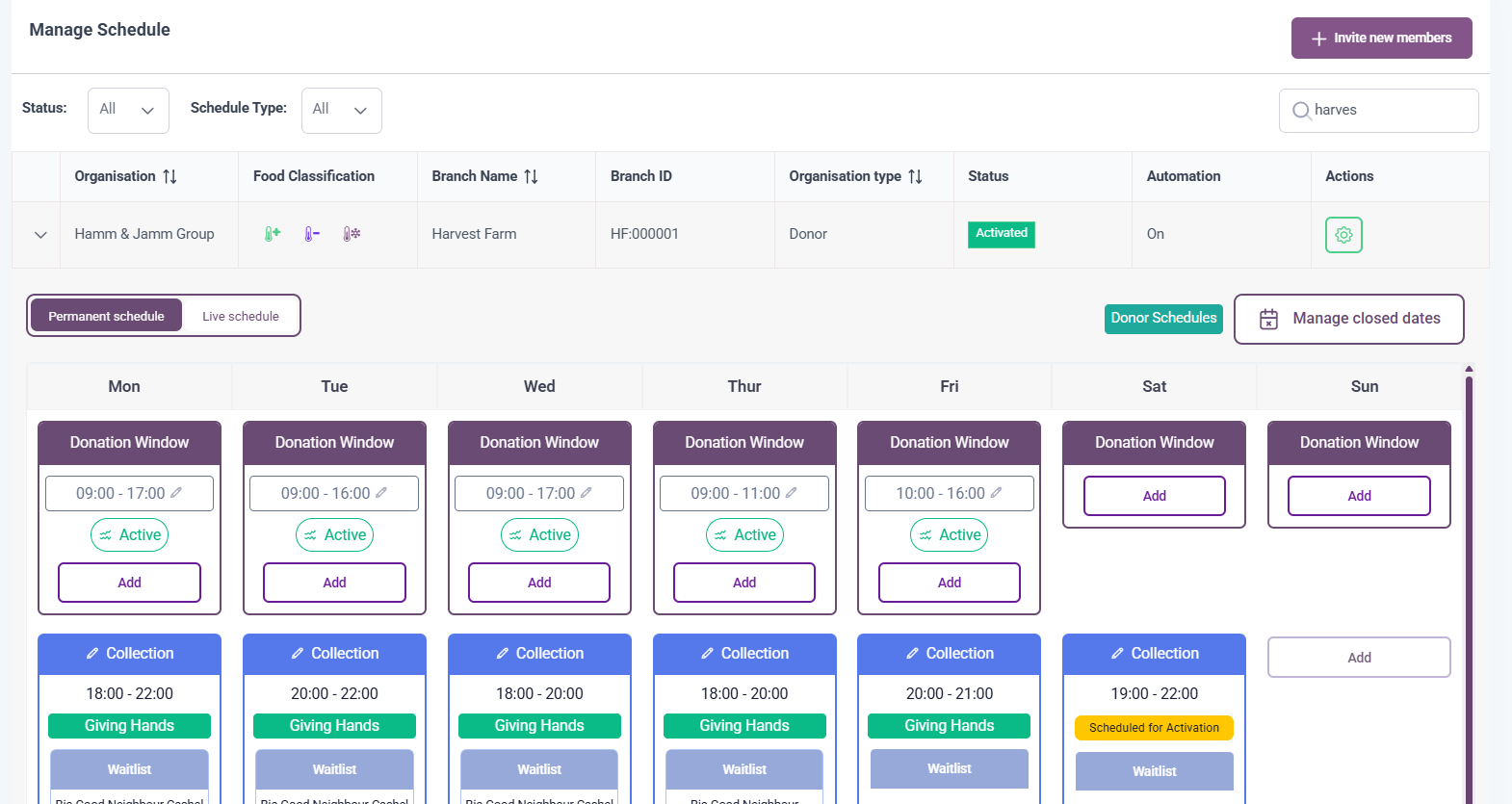
In Members & Schedules, the Automation column shows On or Off for each donor branch. It shows the setting for the branch, not what is happening on an individual slot.
View Invite History for a slot
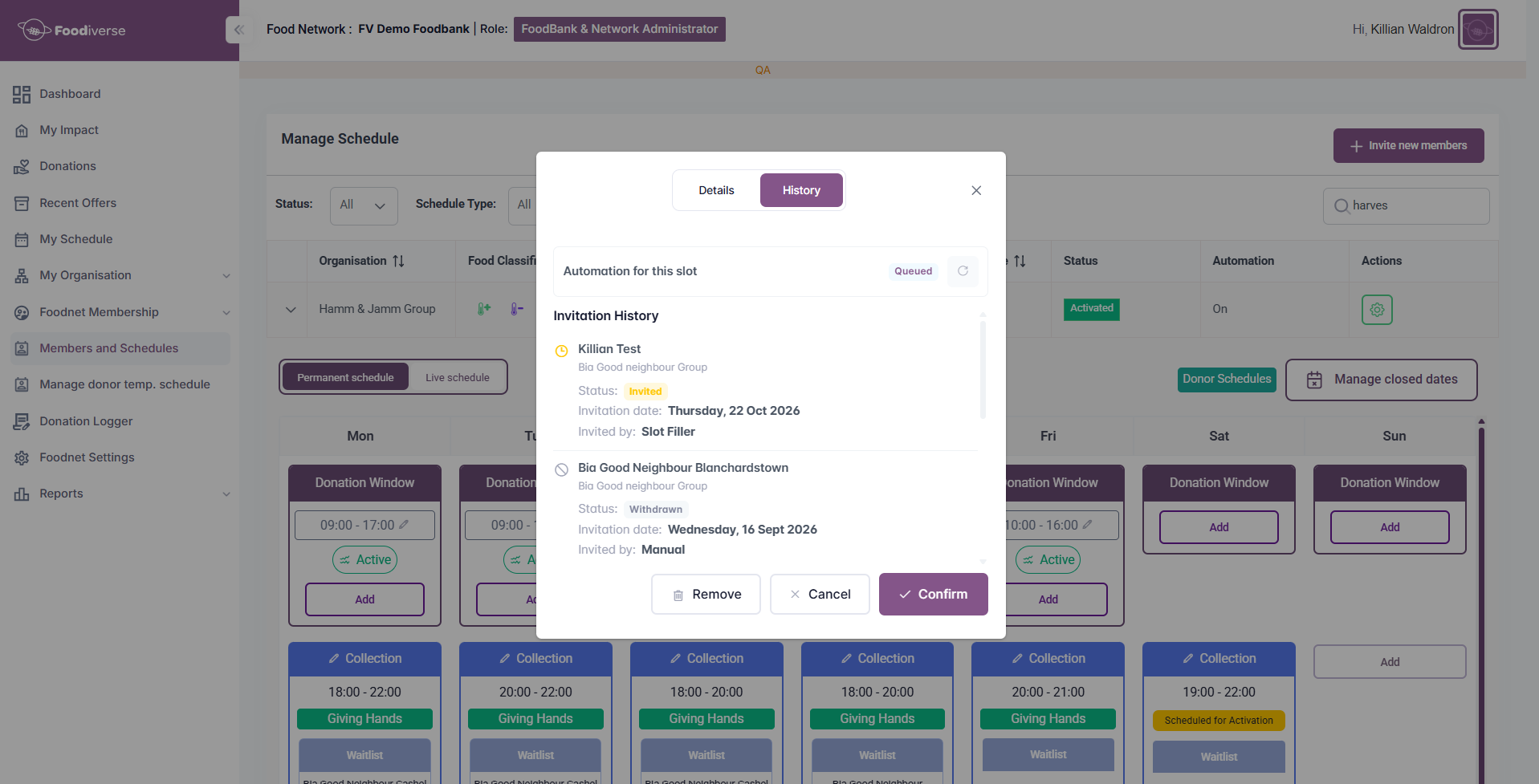
Invite History shows who has been invited to a slot. For each invitation you can see the charity branch, when it was sent, its status, and whether it was sent by a Foodbank user or by Slot Filler. You can see it whether automation is on or off.
-
Open the slot.
-
Open its history view.
What the slot shows while automation is running
-
Queued means automation is expected to take further action on the slot.
-
Off means automation will take no further action.
When automation stops
Automation stops after up to 3 invitations have not been accepted, because they were declined or expired. It does not start another round by itself. Invite History shows what happened, and manual recruitment is recommended for the slot.
Take over manually
You can invite a charity yourself at any time using the usual process for the slot.
-
If an automated invitation is still waiting when you change the slot or invite a charity yourself, the automated invitation is cancelled and the charity can no longer respond to it.
-
Automation for that slot then shows Off.
If you turn automation off while an invitation is waiting
The invitation stays valid. If the charity accepts, it is added to the schedule as normal. If it declines or does not respond, no further charities are invited.
What to do when manual recruitment is recommended
Check Invite History to see which charities were invited and how they responded, then recruit for the slot yourself using the usual process. See Manage Schedules in my Network.
For Charities
Why you may get an invitation
Foodiverse may invite your branch to take a regular slot at a donor branch that has an empty slot and has automation turned on. You only get an invitation if your branch is a suitable match.
How you are told
If you have one or more new invitations, you receive a single push notification and a single email asking you to open Foodiverse and review them.
Review the invitation
Before you reply, the invitation shows details such as the donor branch, the regular collection day and time, a typical donation and how far away the donor is. It works on the web and in the mobile app. The first collection date is not shown until you accept.

Accept an invitation
-
Open the invitation.
-
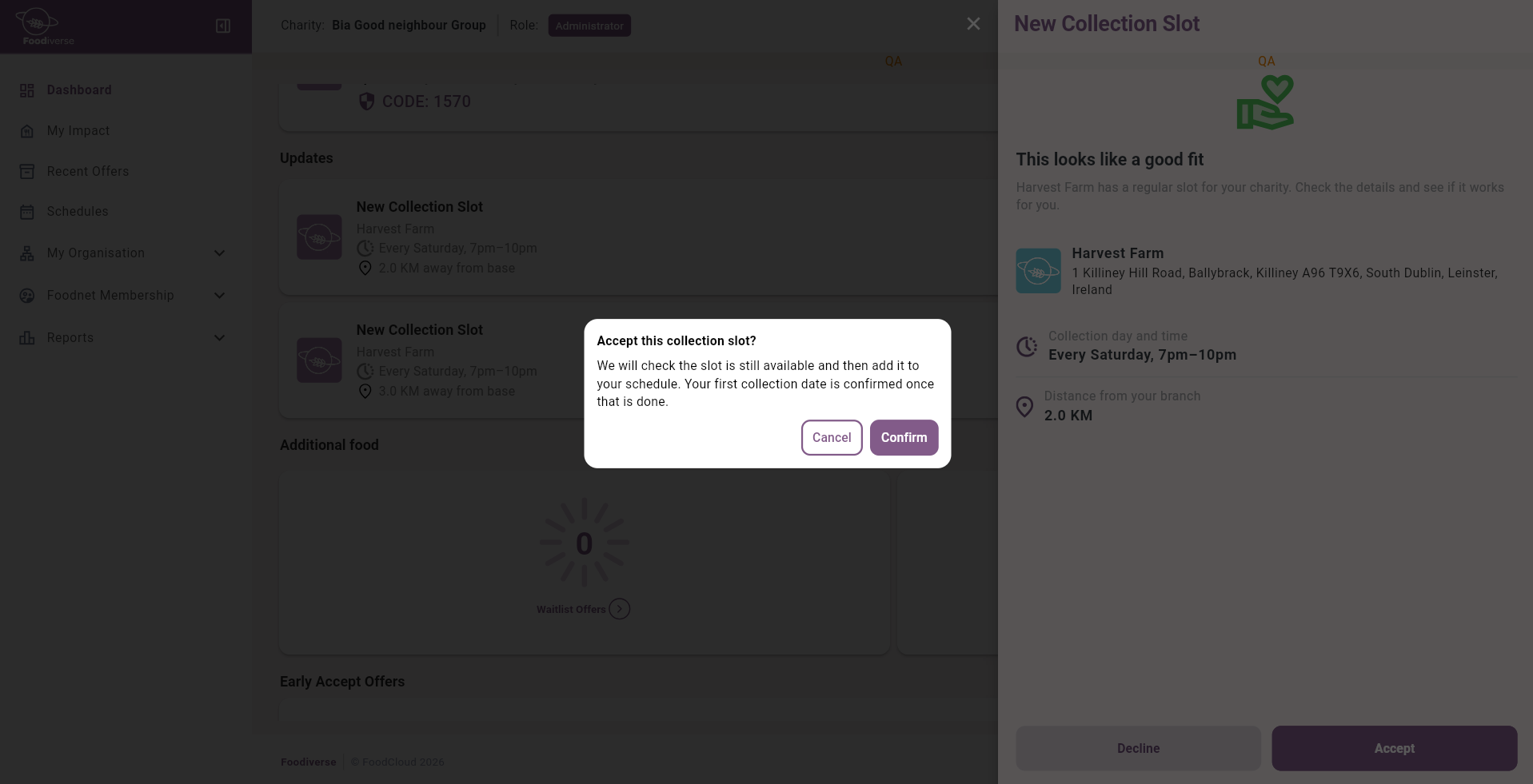
Choose Accept and confirm.
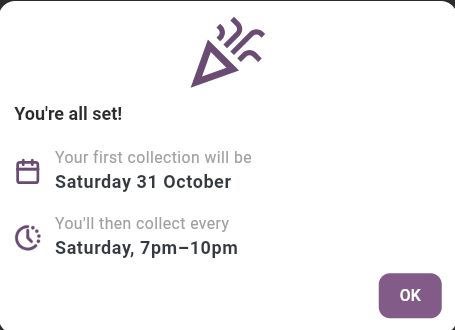
When you accept, your branch is added to the donor’s schedule for that regular slot automatically. The Foodbank does not need to approve it. You will see your first collection date straight away.
Your first collection date
Your first collection date is confirmed once you accept. It is the first time the regular slot occurs at least a week after you accept, so it is usually between 7 and 13 days later.
Decline an invitation
-
Open the invitation.
-
Choose Decline, then Confirm. Choose Cancel if you change your mind.
If you decline, you are not added to the schedule and the next matched charity may be invited.

How long you have to respond
You have 2 working days to respond. Saturdays and Sundays do not count, and invitations are not sent at weekends. For example, an invitation received on a Thursday expires on Monday, and one received on a Friday expires on Tuesday. If you do not respond in time, the invitation expires and you are not added to the schedule.
If an invitation has expired or is no longer available
If you open an old notification or invitation after it has expired, or after the Foodbank has changed the slot, you will see a message that the slot is no longer available. You cannot accept it. If you are still interested, contact your Foodbank.
Related articles
Still haven’t found your answer? Try: