Useful information from donor and charity branches with Third Party Logistics.
Prerequisites
-
Create a 3PL charity branch that will act as the delivery driver, with at least 1 branch user

-
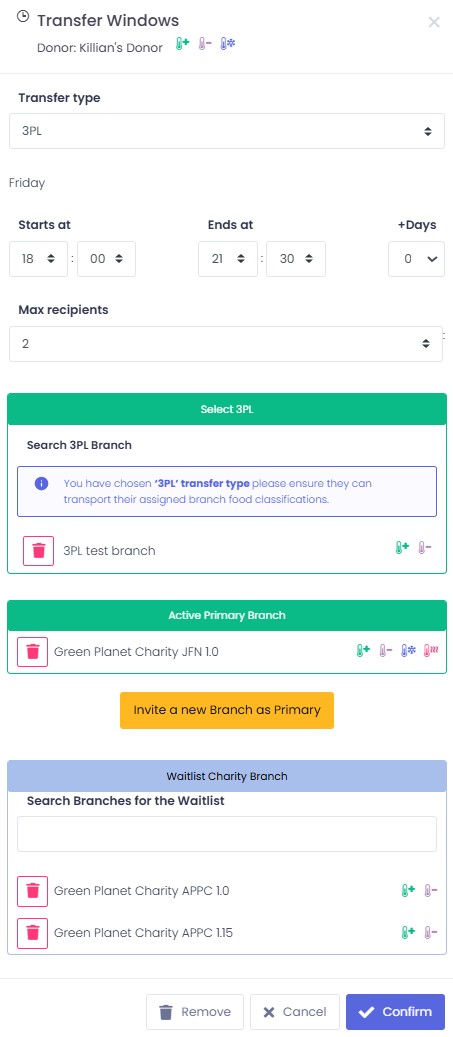
Create a 3PL schedule as a Foodbank admin
-
The window will have the usual collection window criteria to be filtered
-
The new 3PL feature introduces
-
Select 3PL is the branch that will deliver the donation
-
Active Primary Branch is the primary that will receive the donation
-
-
3PL donation flow
-
The donation is created as normal, selecting the 3PL window to initiate the process.
-
Here is an example of the donation card for 3PL.
-
We can see the name of the branch delivering the donation and their number
-

-
The donation is then offered to the primary charity on the schedule
-
Here is an example of the donation for the charity to accept
-
Once again we can see the name of the branch that will be delivering the donation and their number
-

-
The donation is then accepted by the primary charity
-
Example below of the 3PL donation, slightly different donation card style between the 2 donation collection types
-
We can see the name of the branch delivering the donation, their number and that the donation has been accepted by the driver
-

-
The donation is now with the 3PL branch
-
In the example, the card contains all the information the 3PL branch delivering the donation will need to complete the delivery
-
Where they are collecting the donation from
-
Where they are delivering the donation to
-
The size of the donation
-
When they can collect the donation
-

-
The donation is then transferred by 3PL to the charity
-
We can see the green ‘Delivered’ below the branches name and number

-
The donation will then be marked transferred by donor
-
The donor can see the green ‘Delivered’ text and should then mark the donation transferred

-
If the 3PL cancels the donation
-
The donor will mark the donation not transferred
-
And should post the donation again
-
-
We can see the red ‘Cancelled by 3PL’ below the branches name and number

Schedule example
-
Donor 3PL schedule example:
-
Note the black ‘3PL test branch’ banner, this is who will deliver our donation
-

-
Charity schedule 3PL example:
-
Note the black ‘3PL test branch’ banner, this is who will deliver our donation
-

-
3PL branch schedule example:
-
Note, the 3PL banner is seen as the branch is a 3PL user so can have no other schedule type
-

Donation details
-
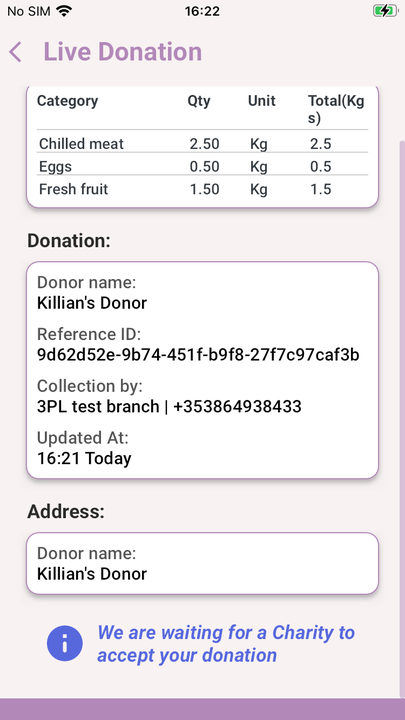
Example from a donor before donation is accepted:
-
Note in the ‘Collection by:’, we can see our 3PL indicator
-
-
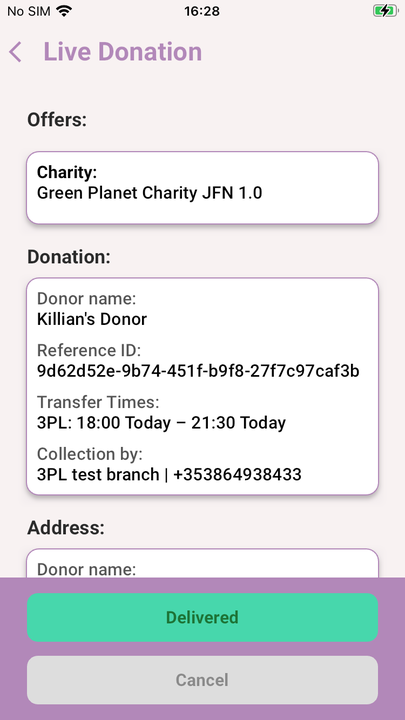
Example from the 3PL branch point of view:
-
Note the 3PL in ‘Transfer Times:’ and ‘Collection by:’
-
-
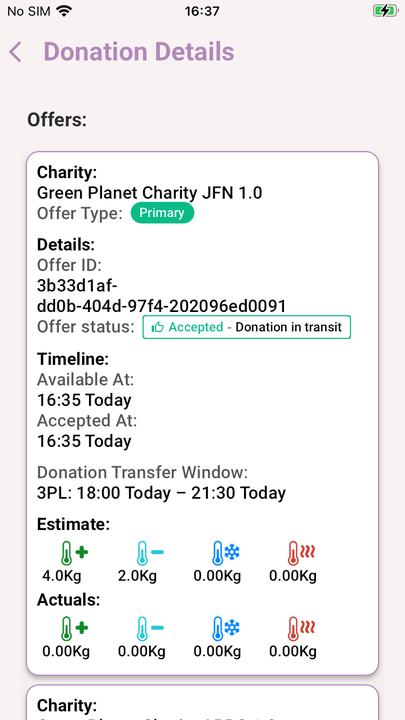
Example from the donor branch when the charity has accepted the donation:
-
Note the;
-
New ‘offer status’ indicating the donation is with the 3PL
-
‘Donation Transfer Window:’ indicated 3PL
-
-
-
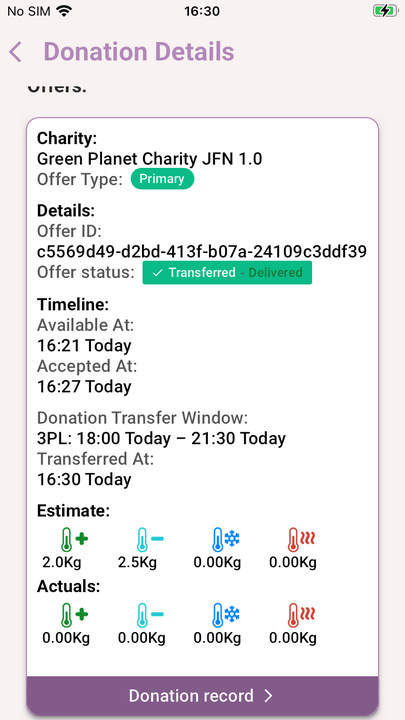
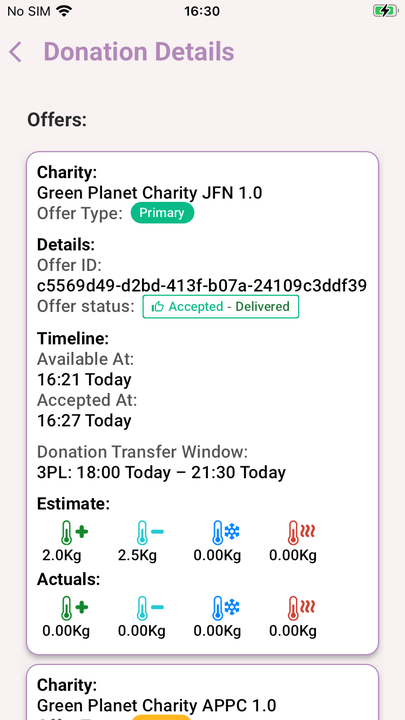
Example from the donor when the 3PL branch has delivered the donation:
-
Next step is to mark the donation transferred
-
Note the;
-
New ‘offer status’ indicating the 3PL has delivered the donation
-
‘Donation Transfer Window:’ indicated 3PL
-
-
-
Example from the donor when the 3PL branch has delivered the donation and the donation has been marked transferred:
-
Note the;
-
New ‘offer status’ indicating the 3PL donation process is complete
-
‘Donation Transfer Window:’ indicated 3PL
-
-